TracVision TV3 User’s Guide
36
Receiver Settings
Finding the IP Address of a DIRECTV Receiver
To enable automatic satellite switching on a SWM-compatible
DIRECTV receiver, you need to enter the receiver’s IP address at the
TV-Hub’s web interface (see “Setting Up a DIRECTV Receiver for
Automatic Switching” on page 64). To find the IP address on a
DIRECTV receiver, follow these steps:
NOTE: A video tutorial of this procedure is available in KVH’s TracVision
Tutorials playlist on YouTube (Internet access required).
1. Activate the receiver for DIRECTV service, if you haven’t
already done so (see “Activating Your Receiver(s)” on
page 43). The receiver must be activated before you can access
the required menus.
2. Press MENU on the receiver’s remote control to access the
onscreen menu.
3. At the main menu, highlight Settings & Help. Then select
Settings.
4. Highlight and select Network Setup.
5. Select Advanced Setup.
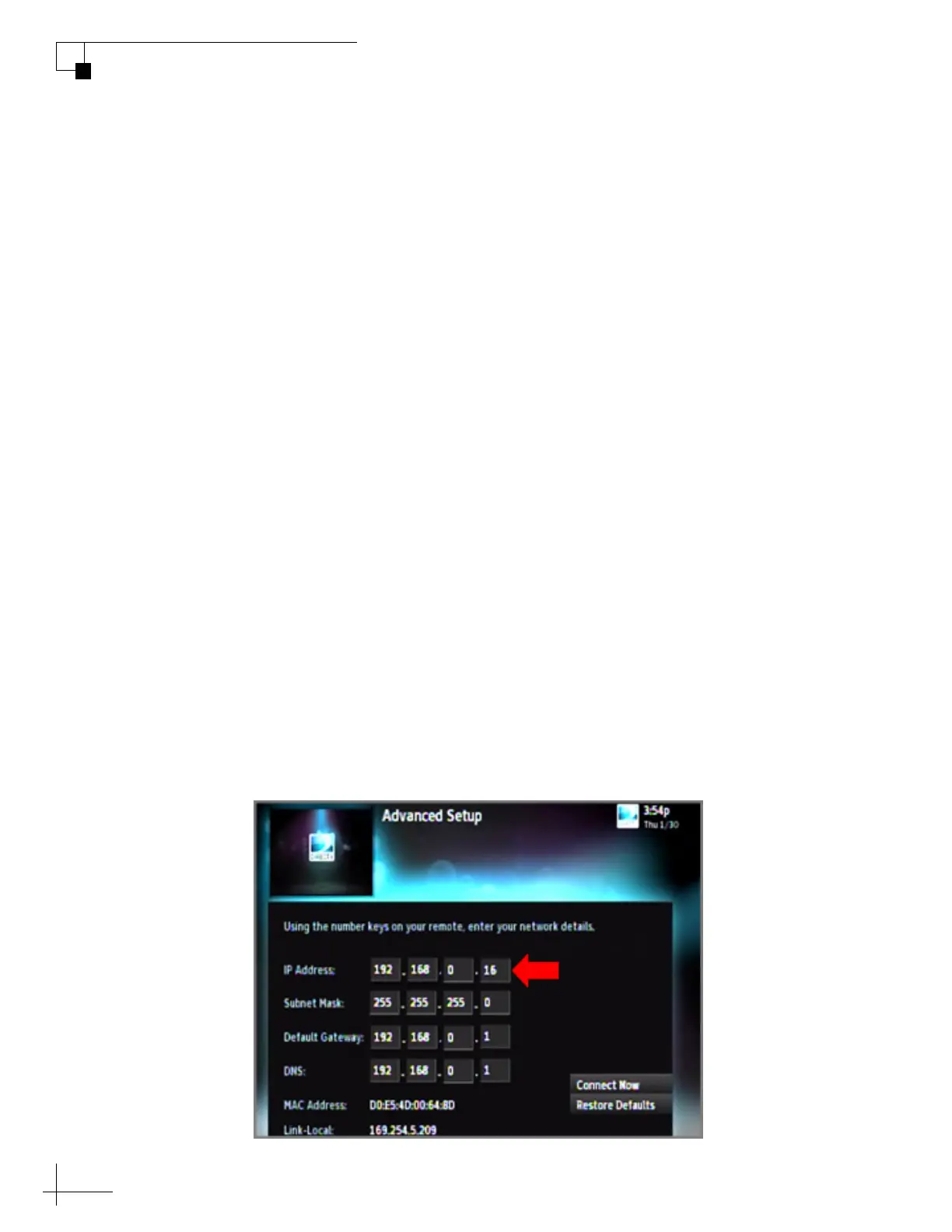
6. After a brief delay, the IP address is displayed. If the receiver is
a Genie HD DVR, the IP address is called the “Server IP.”
Figure 5-2 IP Address Displayed on DIRECTV Receiver



 To Next Page