TracVision TV3 User’s Guide
73
Troubleshooting
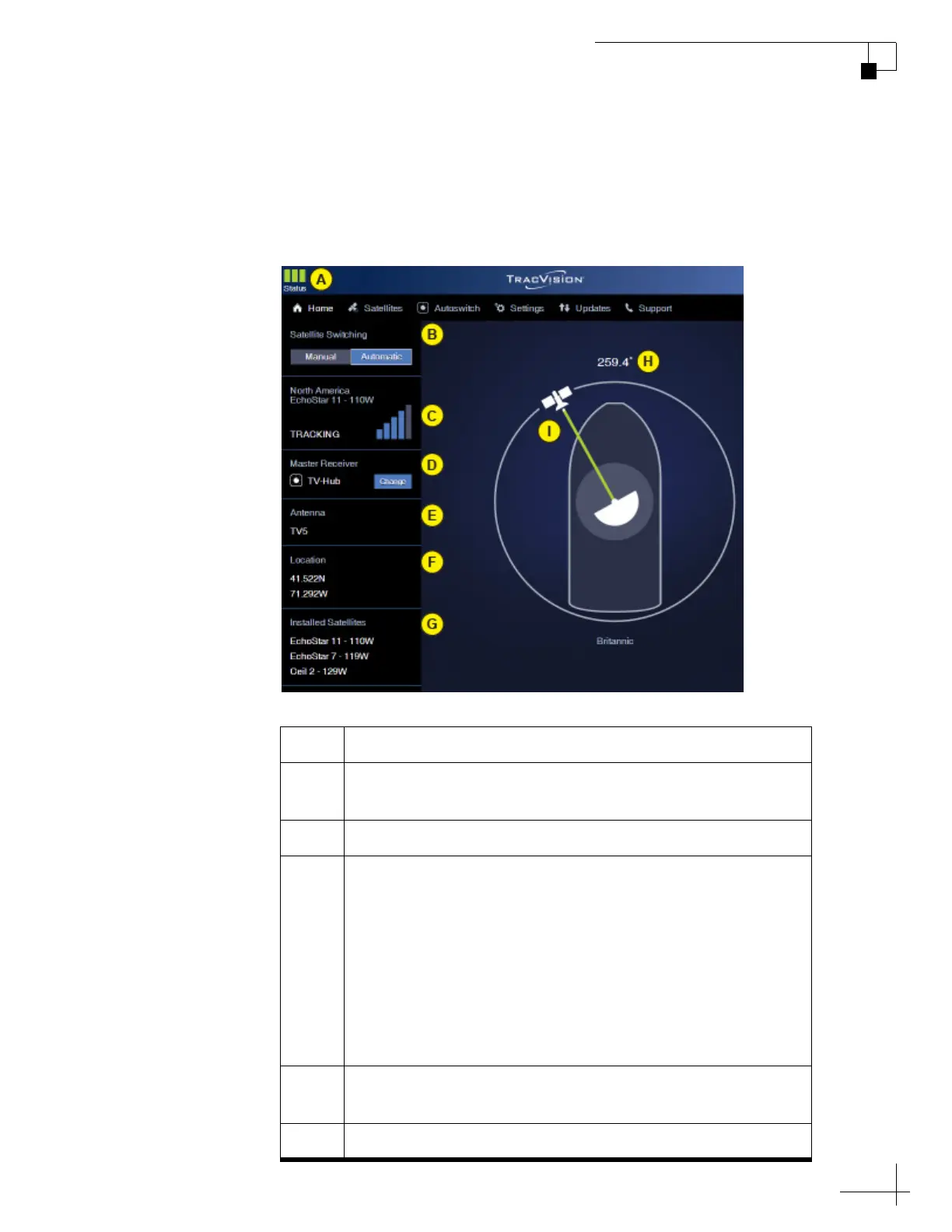
Status Information on the Home Page
The Home page of the web interface provides basic system status
information, as described below.
Figure 8-1 Home Page
Item Description
A Three status indicators match the physical status lights on
the TV-Hub (see “TV-Hub Status Indicators” on page 75)
B Current satellite switching mode: Automatic or Manual
C Currently selected satellite, satellite signal strength, and
general status of the antenna:
•Tracking
•Searching
• Cable Unwrap
• Initializing
• Boot
•Idle
•Error
D Currently selected master receiver (only shown in
Automatic satellite switching mode)
EAntenna model



 To Next Page