75
Model Three - Operation Manual
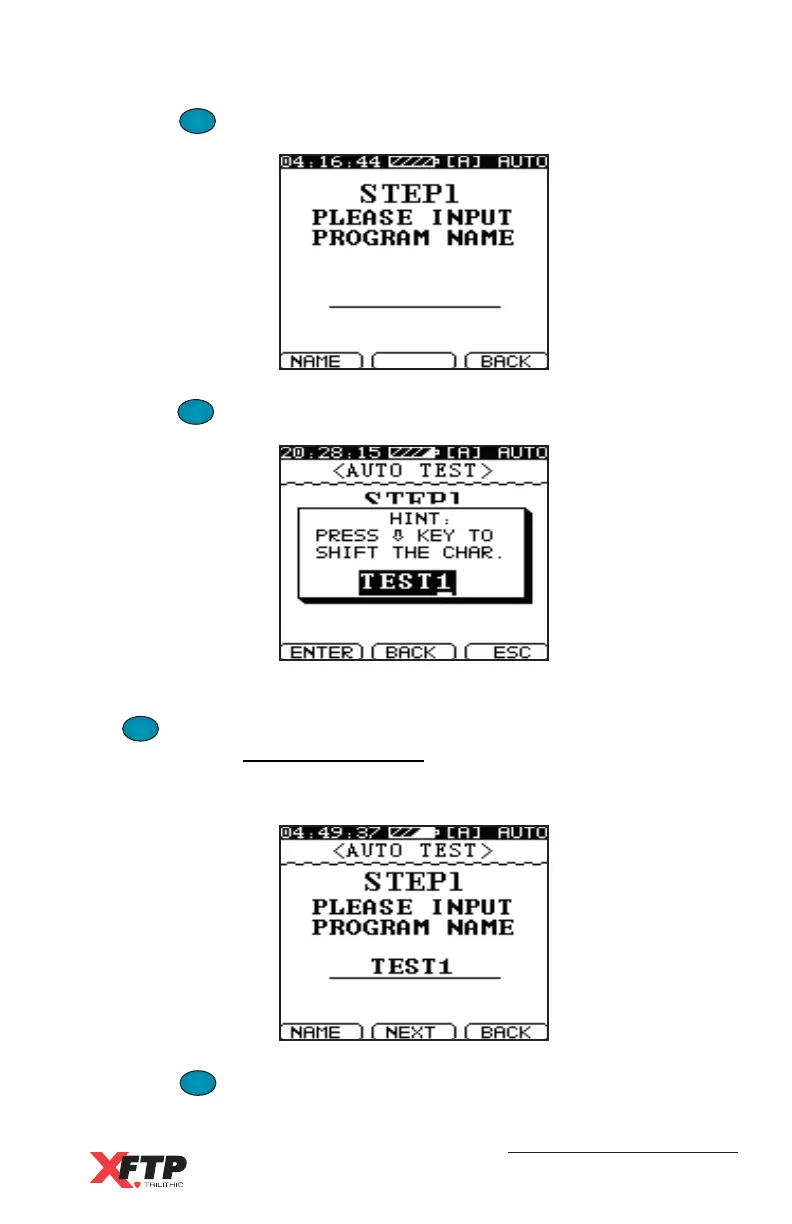
Press the
F
1
F
1
(NEW) key. The Auto test screen for STEP 1 appears.
Press the
F
1
F
1
(NAME) key for the alphanumeric entry window to appear.
Enter up to five alphanumeric characters for the program name and press
the
F
1
F
1
(ENTER) key (see Entering Alphanumeric Characters in Chapter
3: Walkthrough, Identify Components, Navigating Functions).
The new program name appears on the screen for STEP 1.
Press the
F
2
(NEXT) key to continue.



 To Next Page