76
Model Three - Operation Manual
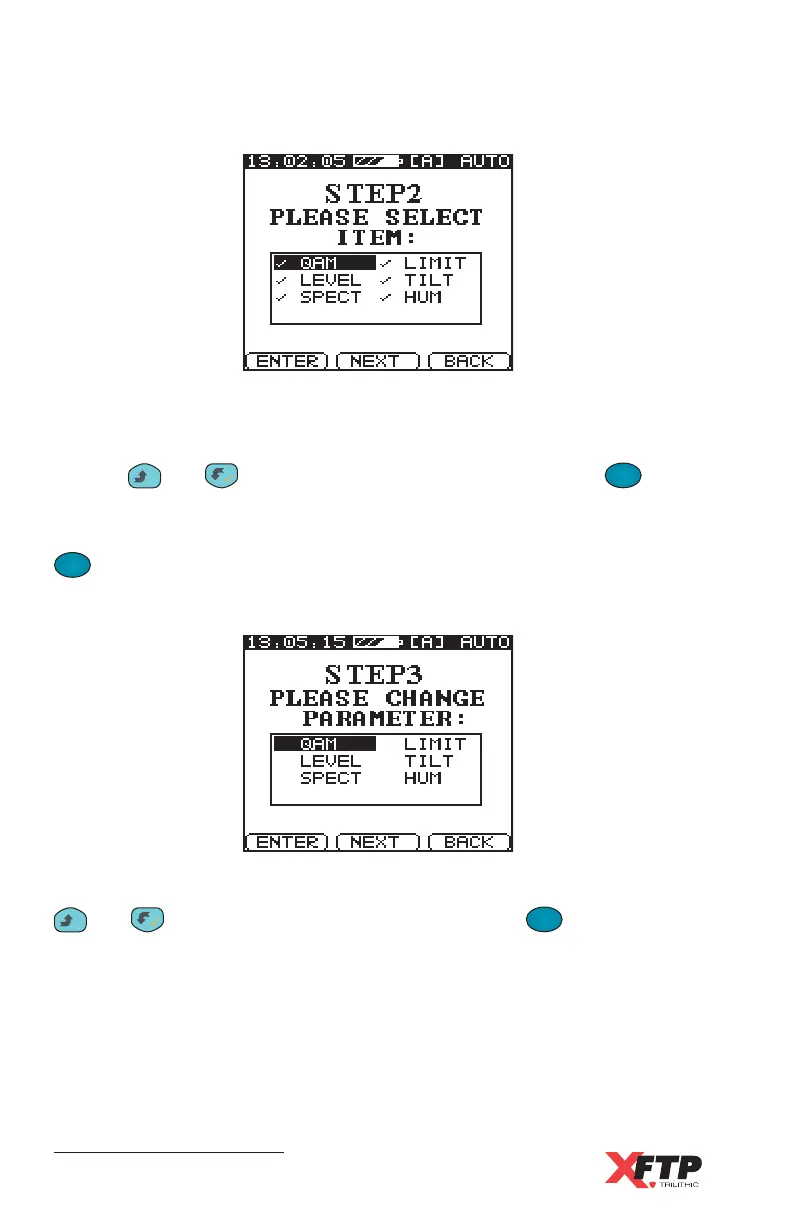
The Auto test screen for STEP 2 appears.
Six types of tests may be performed in a program: Level, Spectrum, Limit,
Hum, QAM, and Tilt. Each enabled test has a check mark next to it.
Use the
__
and keys to highlight any test, then press the
F
1
F
1
(ENTER) key to enable or disable the test.
When only the desired tests are enabled with a check mark, press the
F
2
(NEXT) key to continue.
The Auto test screen for STEP 3 appears.
You can change the parameters for each of the selected tests by using the
__
and keys to highlight the test, then press the
F
1
F
1
(ENTER) key.
The Auto test parameter displays are described in the following section.



 To Next Page