82
Model Three - Operation Manual
When the desired Hum channels have been selected, press the
F
3
(BACK) key to return to the Auto test screen for STEP 3.
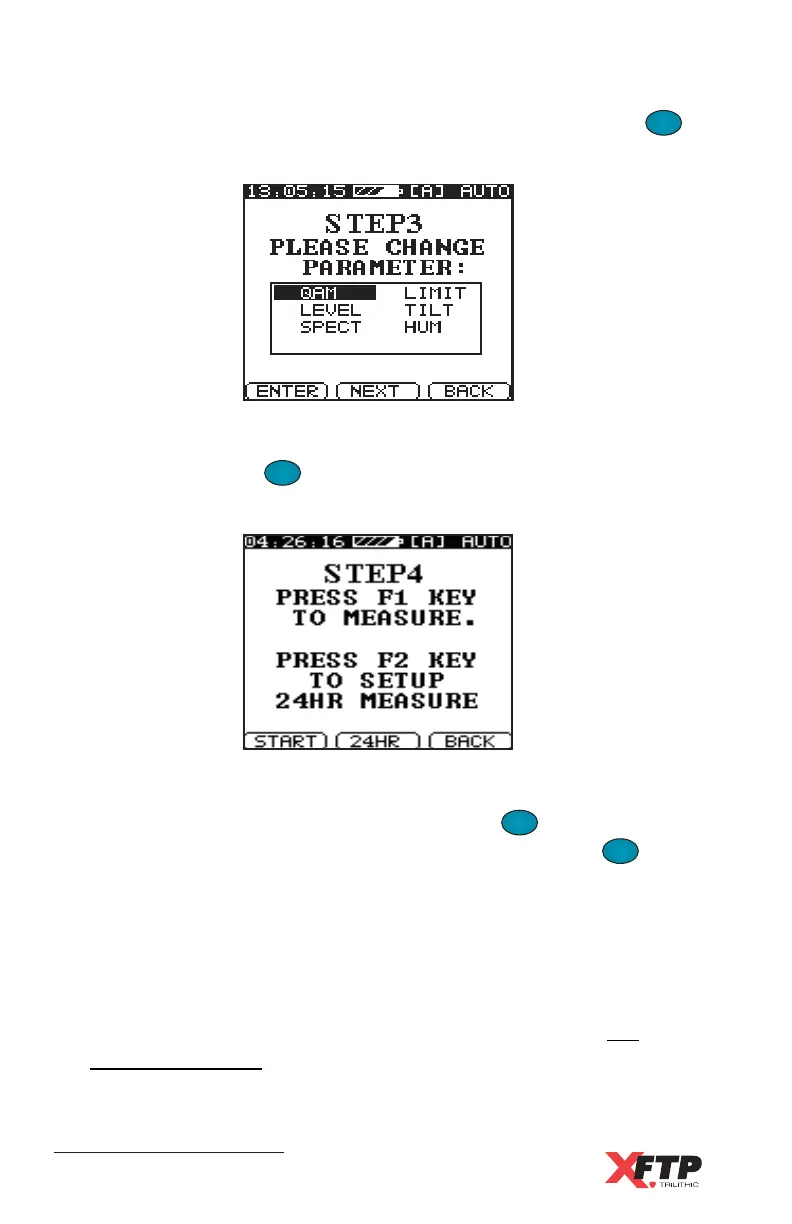
When the parameters for all selected tests have been verified or
changed, press the
F
2
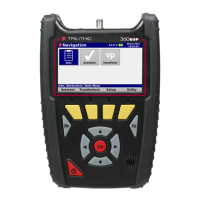
(NEXT) key to continue. The Auto test
screen for STEP 4 appears.
If you wish this Auto test program to perform its test sequence only
once each time it is started, you can press the
F
1
F
1
(START) key to
immediately begin execution of the testing program. If the
F
1
F
1
key is
selected to start the program, the Model Three performs the selected
tests and then shuts off.
A file containing all test records is created and automatically saved.
The file name is the Auto test program name followed by an asterisk
(*) to indicate that it is a single Auto test file. This is displayed in the
Model Three file directory along with the date and time (see File
Saving and Viewing in this chapter).


 To Next Page