91
Model Three - Operation Manual
While displaying a list of any data record, you can press the
F
1
F
1
(BACK) key to return to the FILE CONTENT screen.
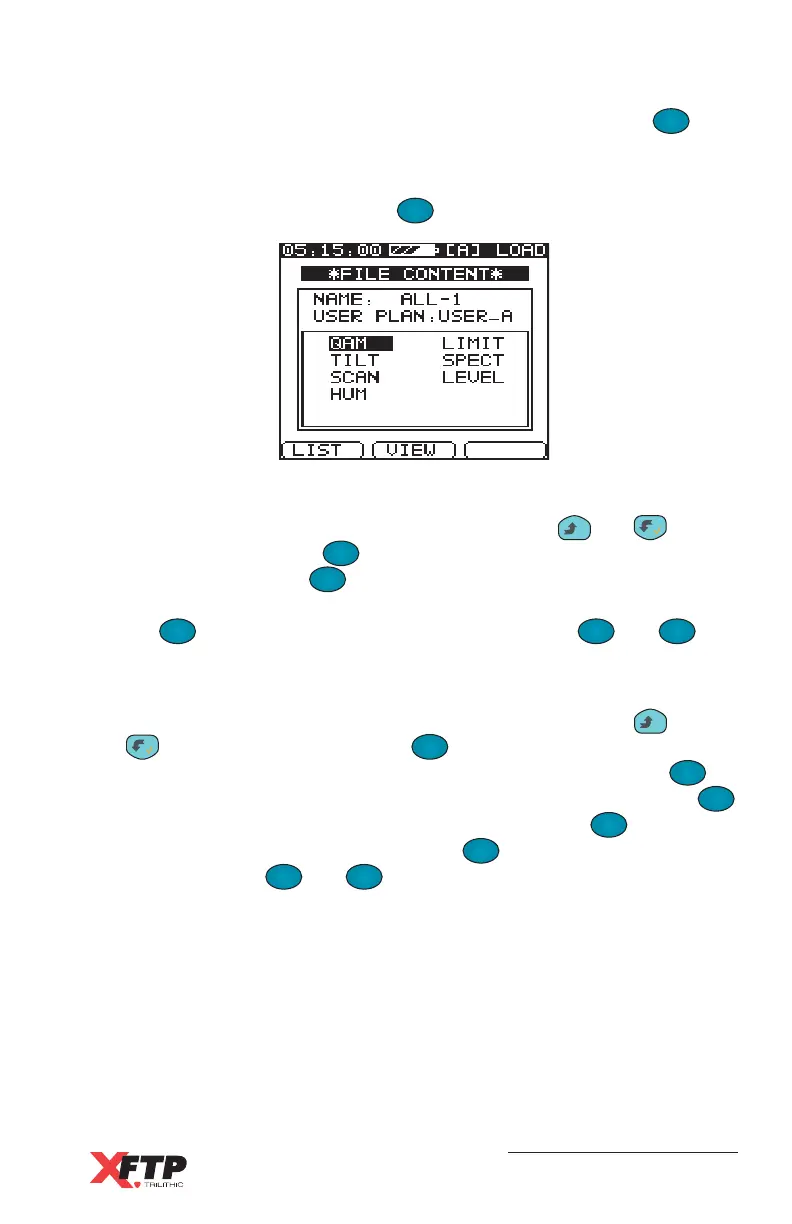
To VIEW the Limit, Spectrum, or Scan test record graphically from the
File Content screen, press the
F
2
(VIEW) key.
Limit Test - A view of the Limit test scan is displayed. The display
may be controlled like a Live Channel Scan. The
__
and keys
move the marker. The
F
1
F
1
(AUTO) key automatically sets the Scale
and Reference. The
F
2
(TRIG) key changes the display to a Live
Channel scan instead of the file record display. You can also press
the
F
3
key to change the soft key functions of the
F
1
F
1
and
F
2
keys to set the Scale and Reference manually.
Spectrum Test - A view of the Spectrum scan is displayed. The
display may be controlled like a Live Spectrum Scan. The
__
and
keys move the marker. The
F
1
F
1
(TRIG) key changes the display
to a Live Spectrum scan instead of the file record display. The
F
2
(SPAN) key does not operate with the Spectrum record file. If the
F
1
F
1
key is used to trigger a Live Spectrum scan, then the
F
2
(SPAN) key
may be used. You can also press the
F
3
key to change the soft key
functions of the
F
1
F
1
and
F
2
keys to set the Scale and Reference
manually or use the Auto scale and Reference or the Δ Marker
function.



 To Next Page