COMMANDER / EMBASSY
Mirror Adjustment - Command-
This cluster of switches controls
the position of the rear view
mirrors on both sides. Use the
center switch to select the left or
right mirror. Depress and hold
the four outer switches as re-
quired to move the mirror to the
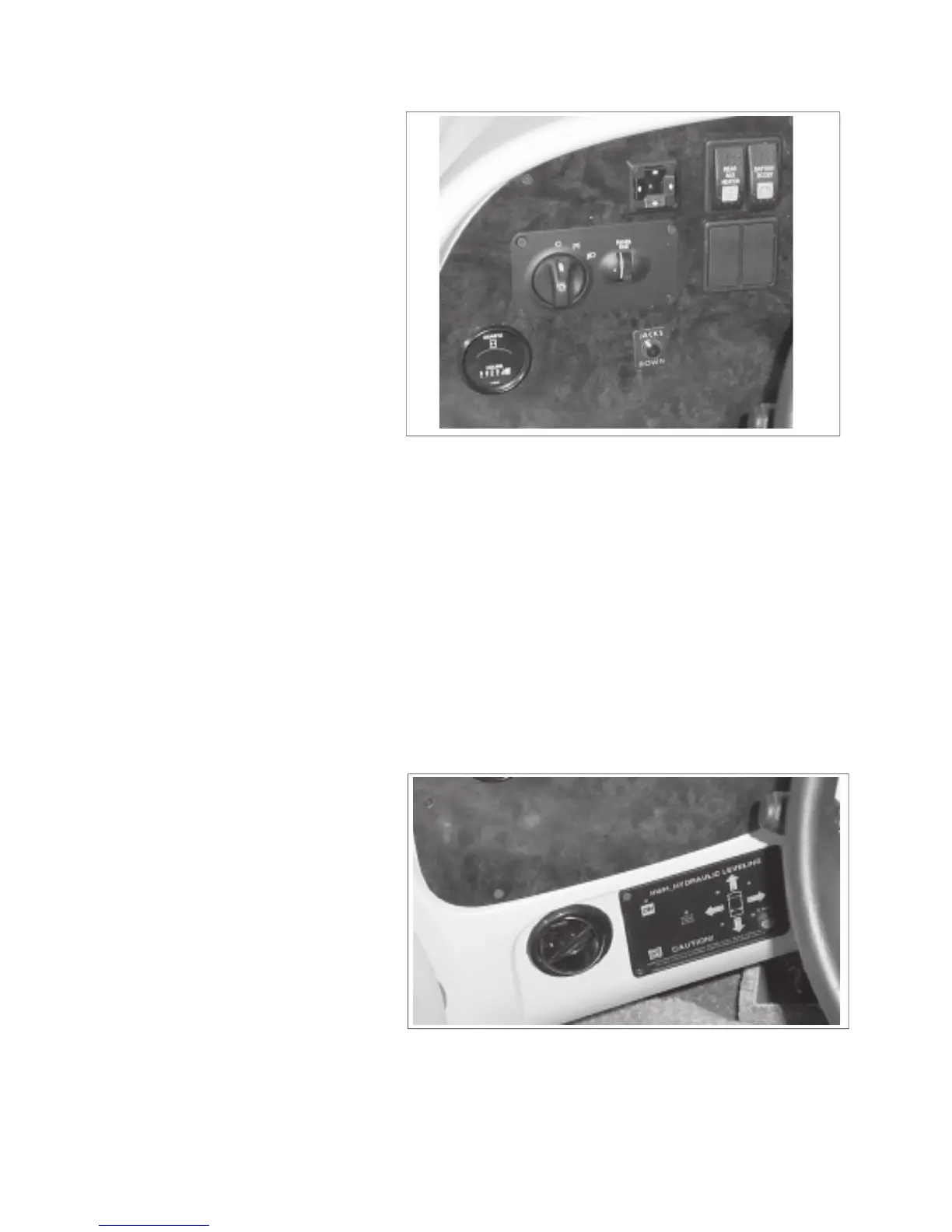
This 3 position rotary switch
controls the power to the vehicle
head lights. Turn fully coun-
terclockwise to turn off. Turn
clockwise to the fi rst detent for
the parking and panel lights.
Turn fully clockwise to turn the
headlights on at full power.
This rotary switch controls the
power to the instrument panel
lights. Roll the dial up decrease
the power and turn the lights
off. Roll down to increase power
level and light intensity.
Jacks Down Light (Optional In-
cluded With Levelling System):
This red light indicator alerts the
driver that the levelling jacks are
in their down position. It comes
on when the ignition switch is
switched on and the jacks are
This meter displays the generator
operating hours and accumulates
time whenever the generator is
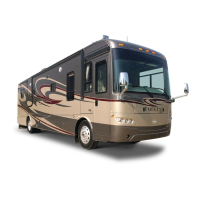
Left Side - Lower (Optional):
This panel contains the controls
for the computerized hydrau-
lic levelling system. Refer to
instructions in the information
package for more detailed in-
IMPORTANT
The headlights come on at partial
power whenever the engine is run-
ning. The switch must be turned on
for the headlights to operate at full
power.



 To Next Page