10.2.2 GENERATOR OPERATION
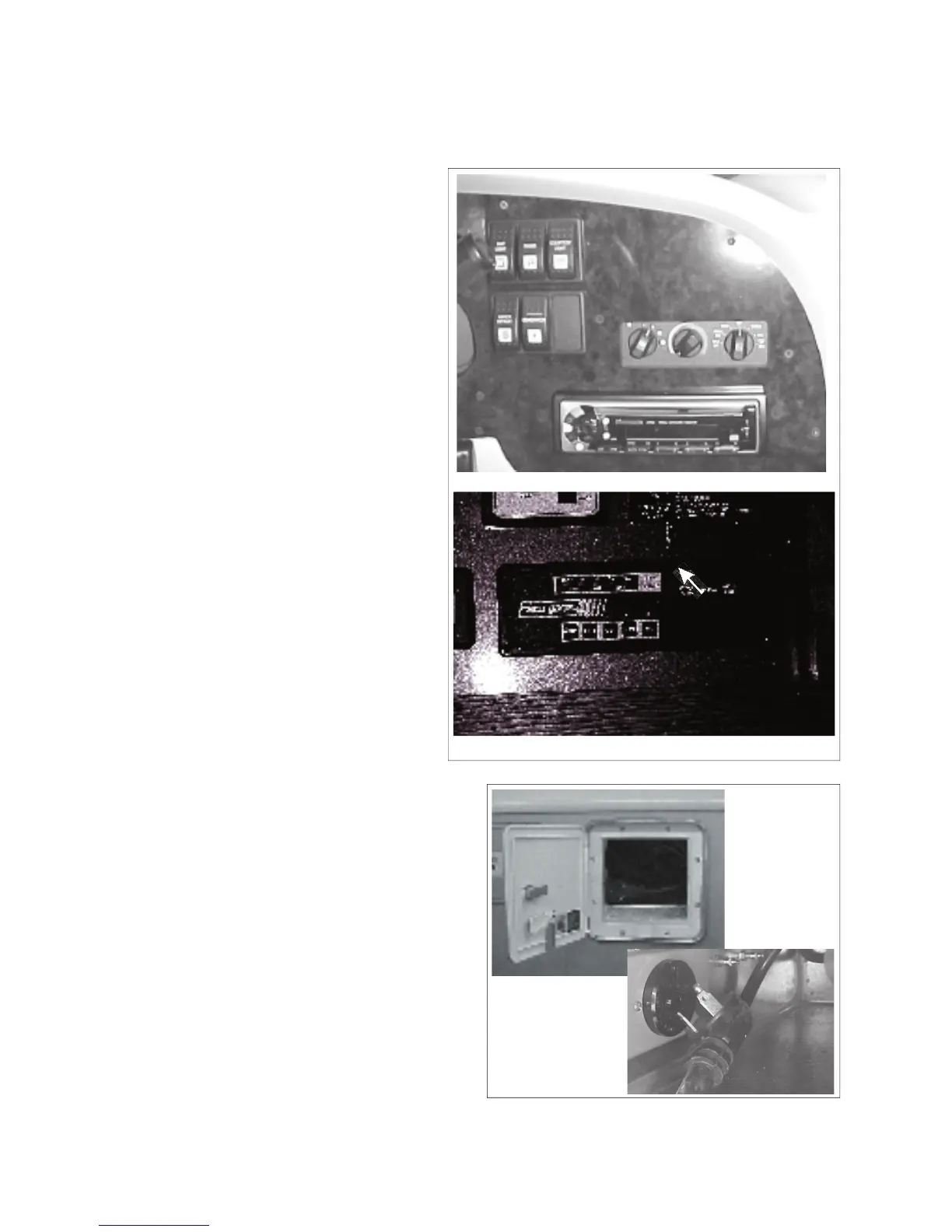
The generator switches are located:
a. On the dash board, within easy reach
b. Above the main entrance door, part of
COMMANDER / EMBASSY
The generator starter does not draw current
from the engine batteries so the ignition does
a. See Generator Manufacturer's Manual
for specifi c instructions.
b. For Embassy, plug in the power cord
into the generator receptical in the
power cord compartment. (Fig. 10-
7) On the Commander, the switch is
done by an automatic power transfer
switch. (See Section 10.2.3)
c. Disconnect all electrical loads. (Turn
off all lights, appliances, equipment,
d. Press generator start button, hold until
engine is running, then release.
e. Wait for engine to run smoothly before
turning on lights and appliances.
f. Be familiar with the output capacity
and capability of your generator.
f. Be careful not to overload the genera-
tor. See your manual for information.
Fig. 10-7 EMBASSY POWER CORD
CAUTION
Overloading the generator for
long periods of time can cause
high temperatures that could
result in damage to the genera-
tor windings. Keep electrical
loads within the wattage ratings
specifi ed in your manual.
a. Turn off lights and all appliances before
shutting off engine. Let the engine run
at no-load for a few minutes to allow the
b. Press the OFF switch and hold until engine
comes to a complete stop.
Fig. 10-6 GENERATOR CONTROLS



 To Next Page