Installing the System MicronNav System
0656-SOM-00001-07 34 © Tritech International Ltd.
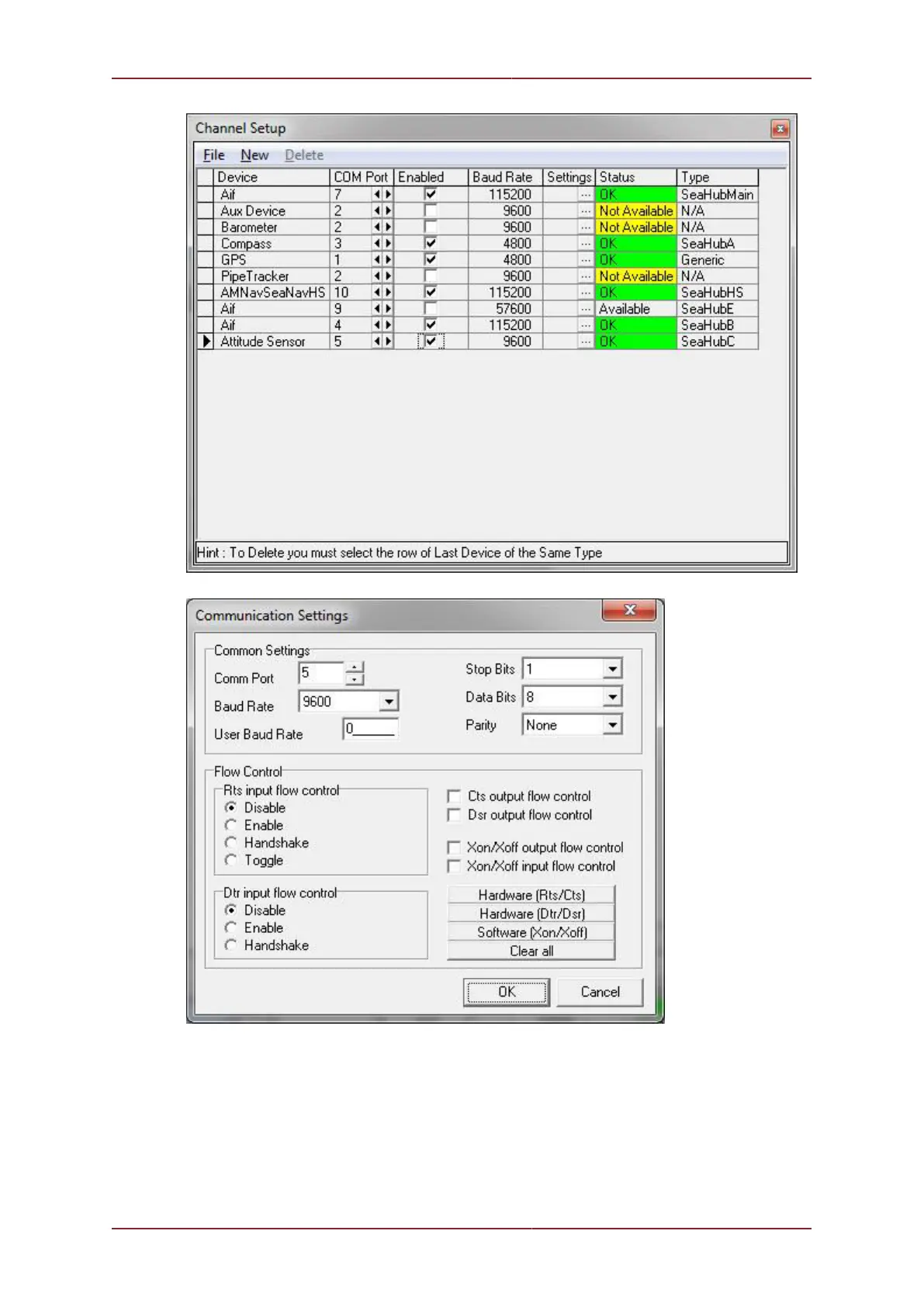
The above example shows the external Compass sensor on COM 3 which in this case is
Port A on the MicronNav100 Hub and the external MRU (pitch/roll) on COM 5 which in this
case is Port C on the MicronNav100 Hub. Check the integral sensor is switched off in Seanet
Setup - Node 75 (MINIATTSEN) should no longer appear in the device list.



 To Next Page