Operation MicronNav System
0656-SOM-00001-07 75 © Tritech International Ltd.
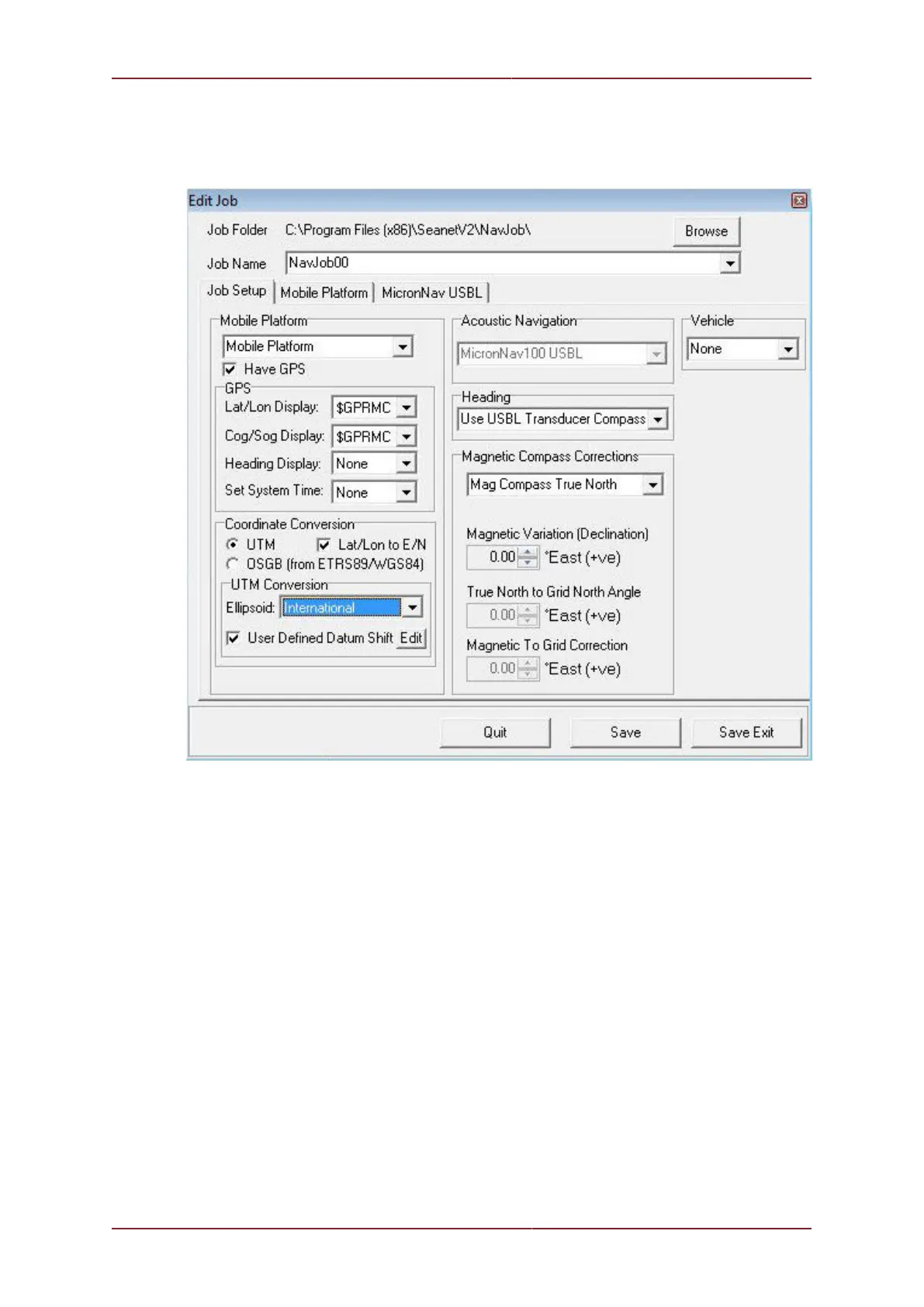
In the ‘Job Setup’ page, the ‘Lat/Lon to E/N’ tick-box is ticked and the ‘UTM’ option button
selected. The ‘International’ Ellipsoid is selected from the drop-down list and the ‘User
Defined Datum Shift’ tick-box is ticked.
Clicking on the ‘Edit’ button to the right of the ‘User Defined Datum Shift’ tick-box, will open a
‘User Defined Geodetic Shift’ panel on top. This is used to enter the datum shift parameters.



 To Next Page