Adding and Using User Bitmap Charts MicronNav System
0656-SOM-00001-07 98 © Tritech International Ltd.
Note
The following procedure demonstrates the process for saving a Sub trail. The
same process applies for the Ship trail by instead selecting Ship Trail – Save
Ship Trail in the pop-up menu of Step 1 shown below.
Procedure
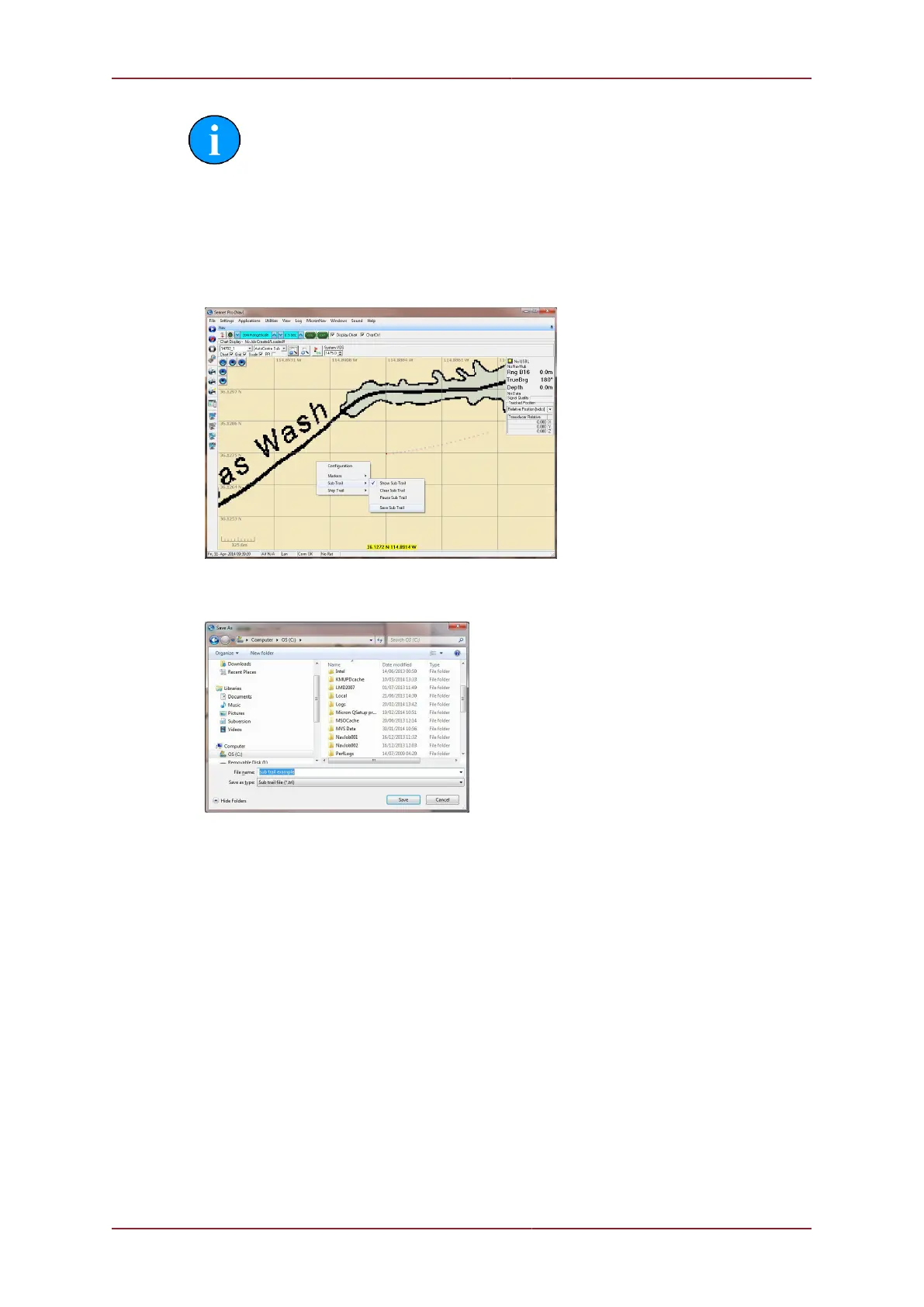
1. In the MicronNav application, right-click on the chart window and select Sub Trail –
Save Sub Trail.
2. Next, in the Save As dialog, enter a name for the output file and click Save.
3. Each line of the saved output .trl file will contain the position of a single point in the sub
trail. The format of each line of data in the saved output .trl file is: Lat, Lon, Depth
4. For the sub trail shown in the example above, the .trl file contents are as follows:



 To Next Page