whether the signals changes, so as to confirm whether the wiring is
accurate and effective.
3.3 Set the Origin Point of Machine
Connect machine and wiring board as Figure3-1-1. Power on and observe
the motion of axis. If the axis moves random, please press 【Stop】at once.
Check your installation and wiring of limiters, if no mistake, then modify
the direction of origin point and reset machine.
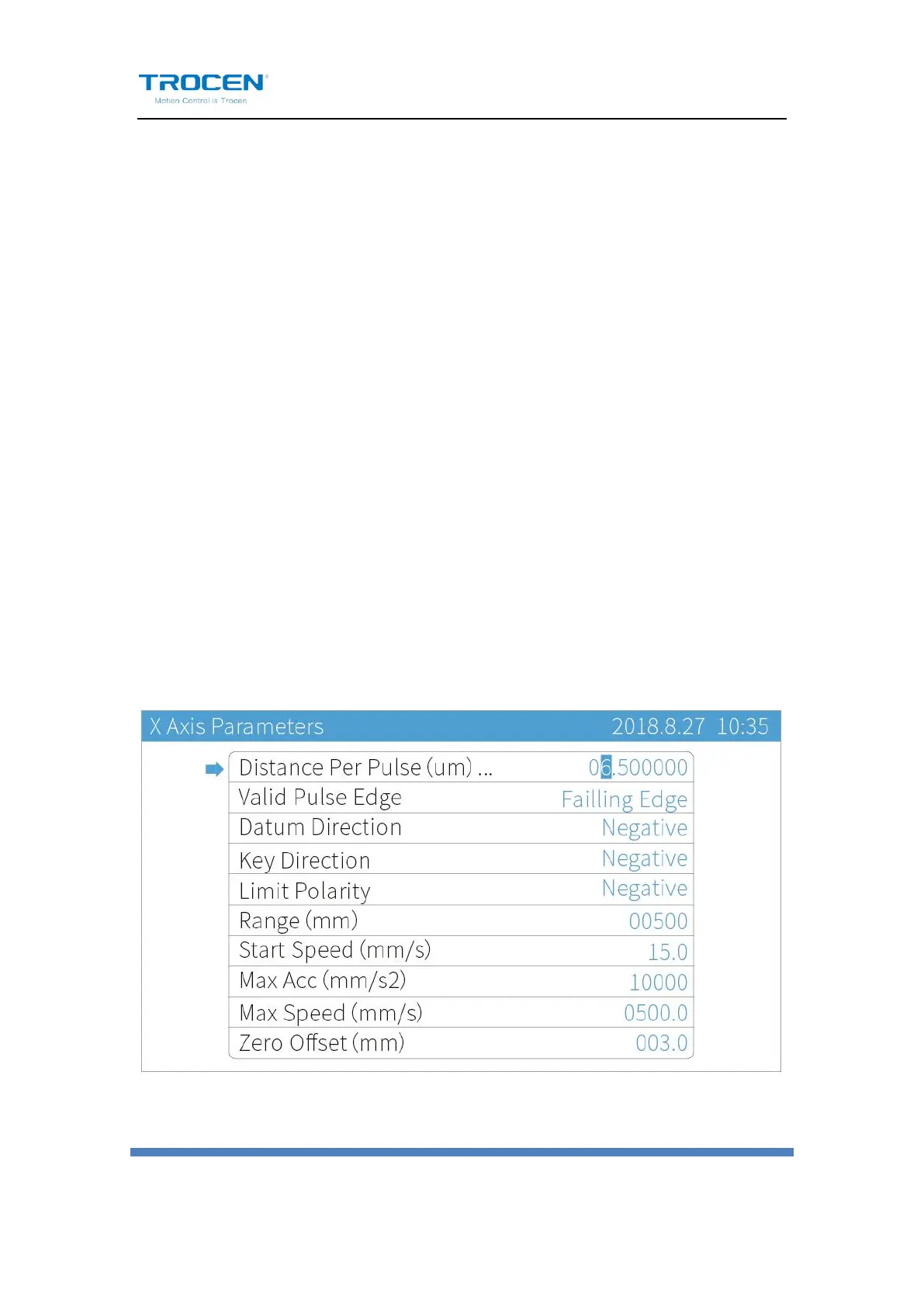
On the main page, press【Stop】and【Shift】at the same time to enter
the Manufacture Parameters Settings page. Users could set axis
parameters (Datum direction/Key direction/Limit Polarity and so on) on
the Axis Parameters page.
Figure3-3-1 Axis Parameters Interface
Reset the machine, and observe the motion direction of axis again. Before


 To Next Page