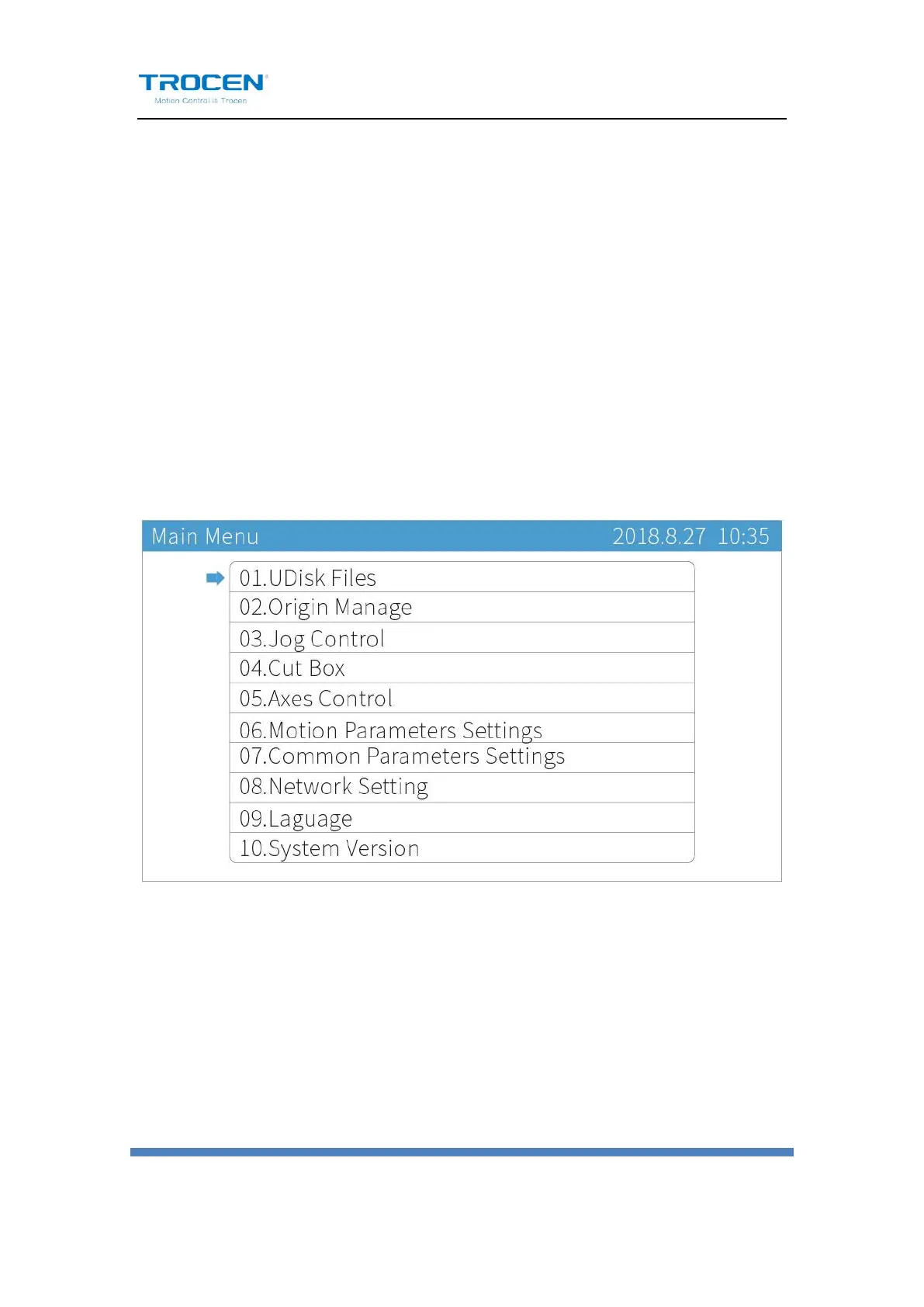
6. System Menu
6.1 U Disk Files
Insert a U disk into the U disk slot on the panel. If your U disk has a "light
indicator" (shows connectivity) and shows that it's connected, press
【Menu】to enter the main menu, move the cursor to【U Disk Files】
then press【Enter】to enter U disk files management.
Figure6-1-1 Main Menu Interface


 To Next Page