6.8 Network Settings
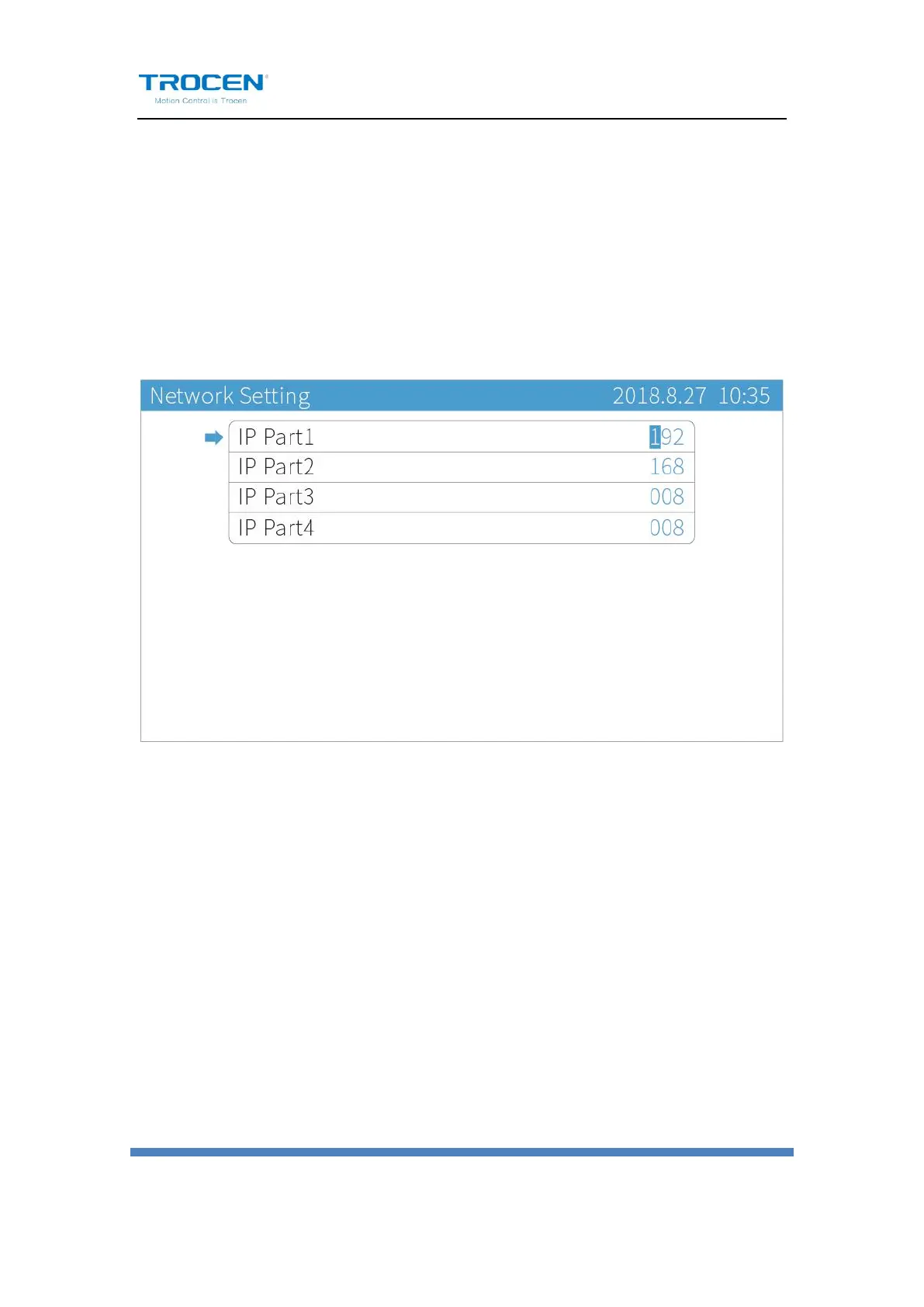
On the main page, press【Menu】, move cursor to【Network Settings】
and press【Enter】. Press【↑】【↓】to move cursor, press number keys
to modify parameters and press【Enter】to save settings.
Figure6-8-1 Network Settings
The default IP address of mainboard is 192.168.8.8. When connecting the
main board and PC terminal through network cable, the computer IP
should be modified to make the computer IP address and IP address of the
main board in the same network segment. For example, the computer IP
address can be set to 192.168.8.28.
Based on the Windows7 system, users can modify the native IP address in
the following ways. First, open the Control Panel, select Network and
Internet options, and click View Network Status and Tasks. Then, double-
click the Local Connection, click the Property button, and double-click the


 To Next Page