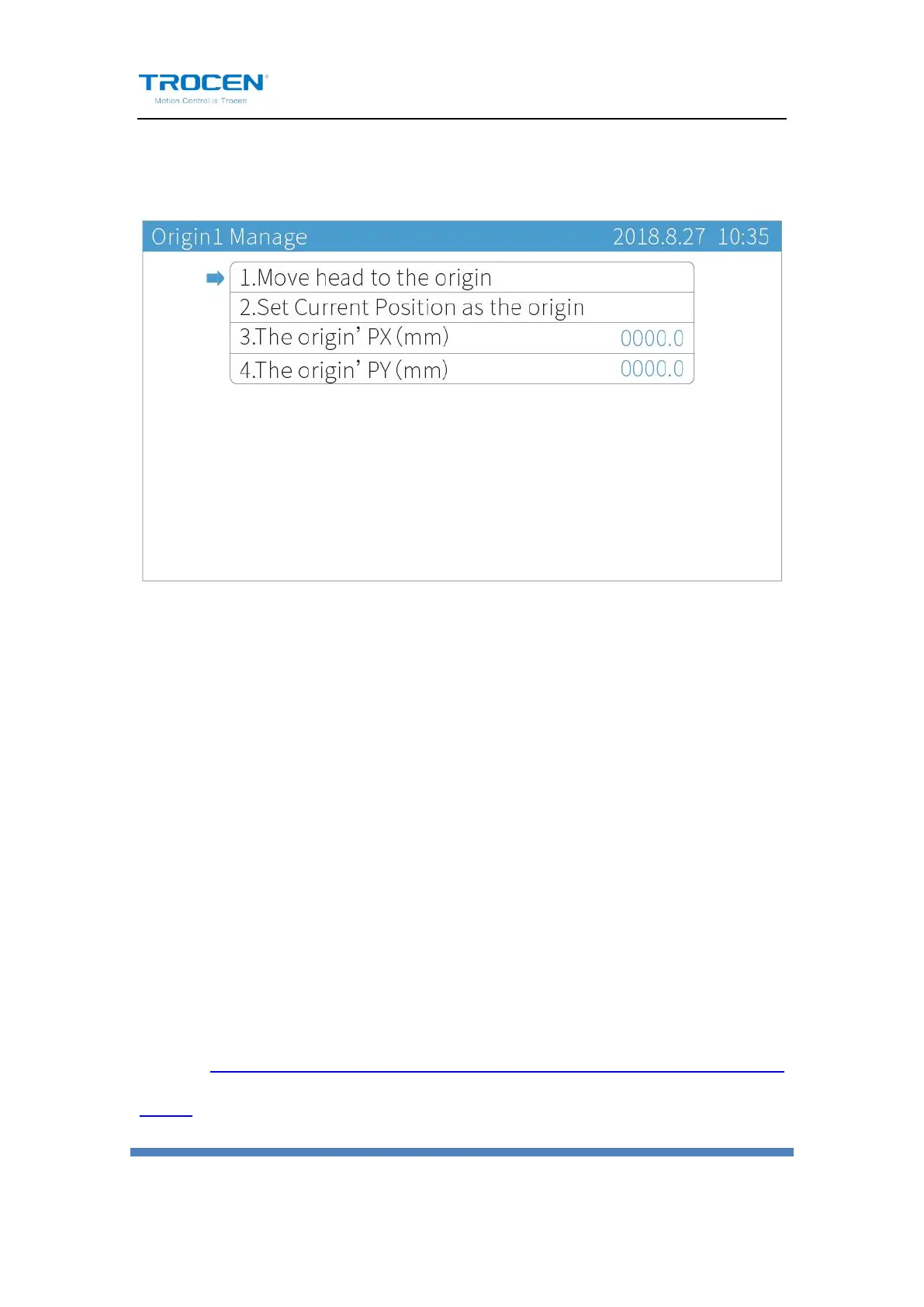
Take 【Origin1 Manage】as an example.
Figure6-2-2 Origin Mange Instruction
6.3 Jog Control
On the main page, press【Menu】, move cursor to【Jog Control】and press
【Enter】to enter Jog Control page. Then press【Z↑】【Z↓】to modify
the distance. Do not set too large【Jog Distance】, please make sure it
within the working range.
On the Jog Control page, press number keys to modify the jog distance,
press【Z↑】【Z↓】to move cursor, press【↑】【↓】【←】【→】to make
motion axis jog.
The jog control can move axis accurately and adjust the distance per pulse
of axis. Please check the Chapter 3.5 to know more about distance per
pulse.


 To Next Page