24
General Functions
Live Satellite Television
Channel List
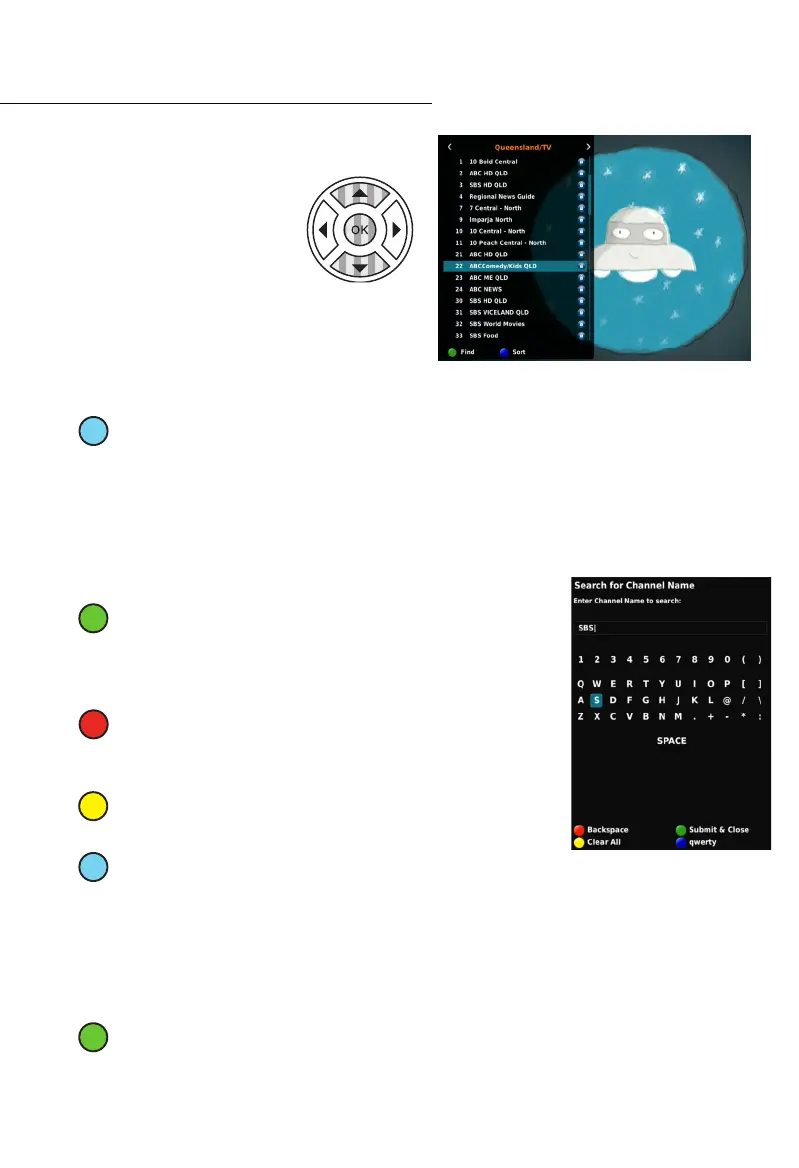
While watching Live Satellite
Television, press the OK Button
to view a full list of available
channels.
While in the CHANNEL LIST, there are functions
associated with the coloured buttons on your
Remote Control.
The Sort Function
SORT: Pressing the Blue (4
th
from left) button while in the CHANNEL LIST allows you
to select the order of which the available channels are displayed. Use the NAV buttons
to select the sort order.
1. A to Z
2. Z to A
3. Encrypted First
4. Free First
5. Satellite
The Find Function
FIND: While in the CHANNEL LIST, press the Green (2
nd
from
left) button to activate the SEARCH function. The Search
function enables you to search through your available channels
presents a search bar, and an upper-case QWERTY Keyboard.
BACKSPACE: Within the SEARCH Function, pressing the Red
(1
st
from left) button functions as a backspace button, which
deletes any character to the left of the cursor’s current position.
CLEAR ALL: While in the SEARCH Function, press the Yellow
(3
rd
from left) button to delete all typed characters.
KEYBOARD SELECT: Pressing the Blue (4th from left) cycles
through the different keyboard options.
• QWERTY (UPPERCASE)
• qwerty (lowercase)
• Symbols
• T9 Input (Alphanumeric Keypad on RCU)
SUBMIT & CLOSE: Once you’ve completed your search, press the Green (2
nd
from
left) button to submit your search. This initiates your search. Your Set Top Box will
automatically take you to your desired channel.



 To Next Page