19
First Time Installation
First Time Installation
Once the STB hardware has been connected correctly and booted, you will be required to
complete the FIRST TIME INSTALLATION. This requires you to set your TV Resolution and
your Time Zone, and scan for available channels.
To view the STB on your TV, select the source input you connected your STB to. Some TVs
have a long list of inputs and don’t make physical inputs easy to identify. You may need to
select a few different inputs initially. Take care to note which one works.
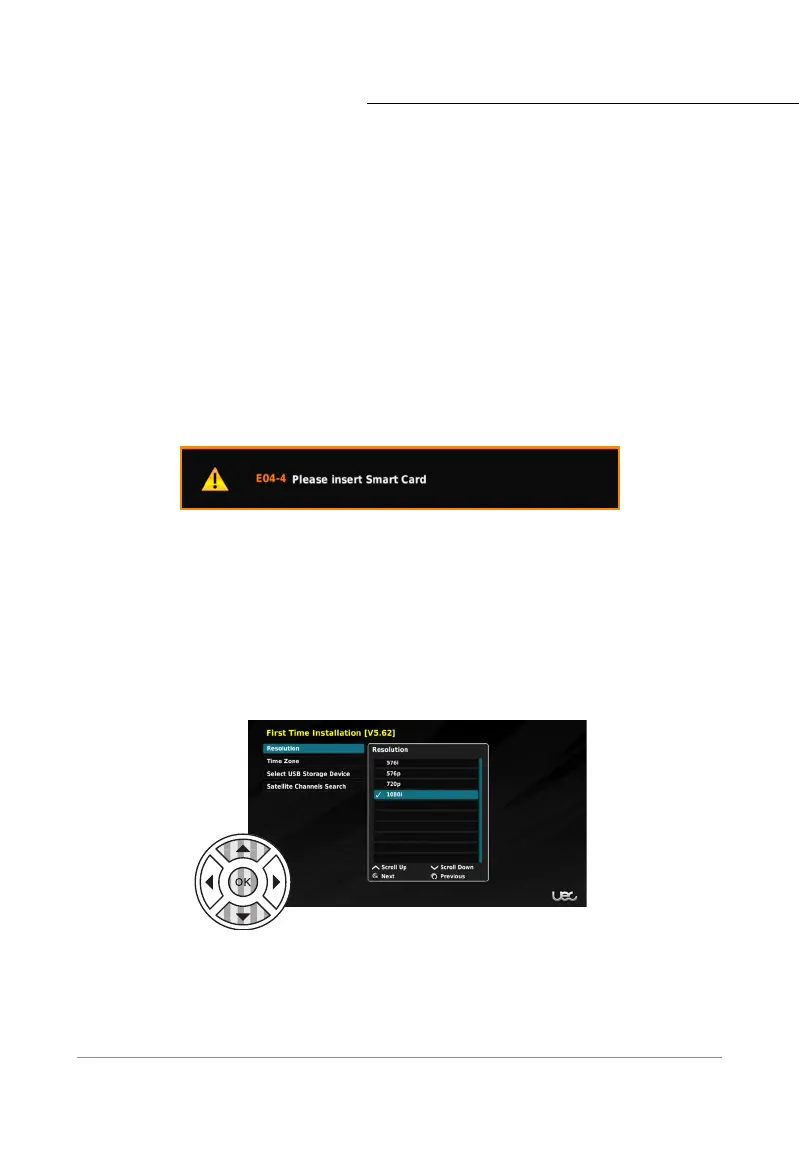
Step 1: Resolution
First you must set the appropriate display resolution. Your TV is likely to be either 720p or
1080i, however 576i and 576p are provided if required.
*
To select the resolution use the RCU
navigation buttons. The Up and Down arrows allow you to select the desired input.
Once the required resolution is highlighted, use the OK button confirm your selection.
A popup window asks if you wish to KEEP or REVERT the resolution change. If the correct
resolution is presented, select KEEP and press the OK button, otherwise select REVERT
and the display will return to the default resolution. If you lose the picture after making a
selection, the STB will automatically REVERT after a few moments.
*If the incorrect resolution is selected, the image may flicker or not work at all. Resolution refers to the
HDMI output. The ‘Video’ output (yellow RCA) is always 576i or standard definition. Some TVs HDMI input
may not accept 576i.
After removing the smartcard, ensure the card is re-inserted correctly, with the chip facing
down and the arrow facing inwards. If your smartcard is missing or not inserted correctly, you
will see this error message.



 To Next Page