36
System Settings
System
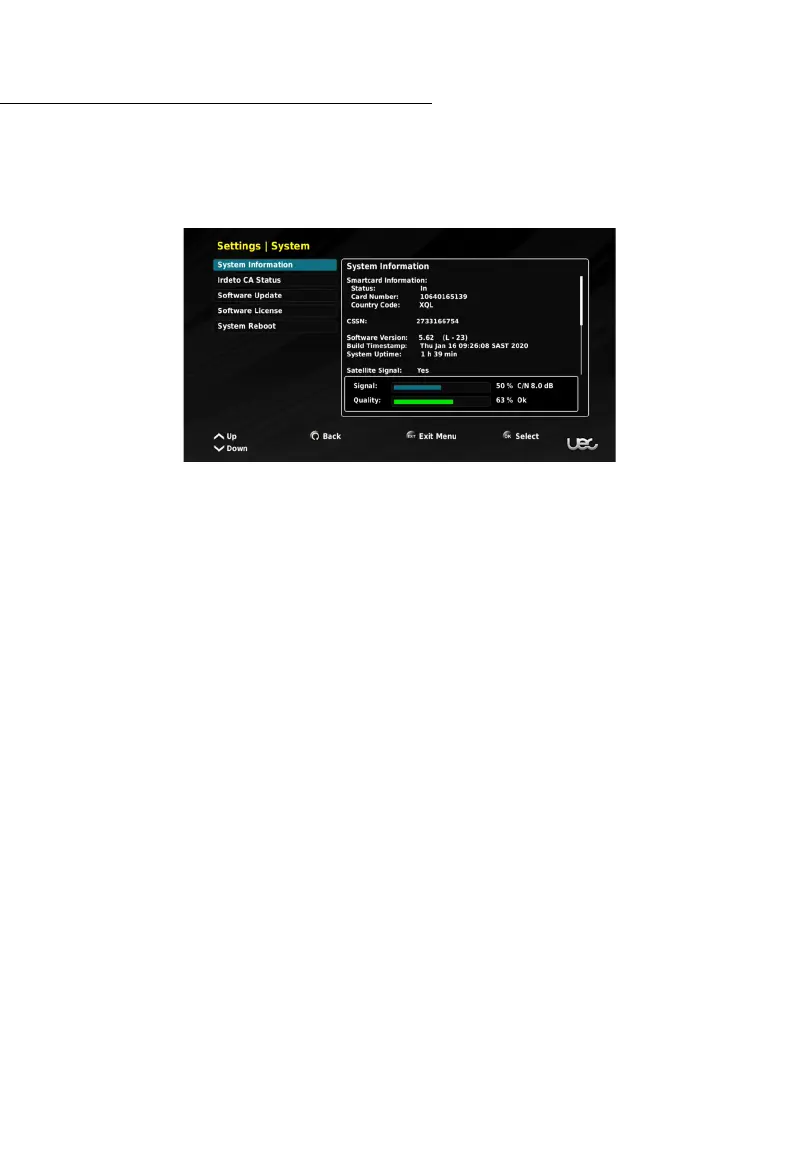
The system menu allows you to view the Set Top Box system information.
Within this menu you can access:
• System information,
• Irdeto CA Status,
• Software Update,
• Software License, and
• System Reboot.
SYSTEM INFORMATION: Provides you with details, statistics and information about the Set
Top Box and attached peripherals.
Irdeto CA Status
This menu provides you with access to Smart Card specific information. The sub-menus for
Irdeto CA Status are:
• Smart Card Status,
• Softcell Service Status, and
• Loader Status.
SOFTWARE UPDATES: Typically SOFTWARE UPDATES are performed automatically
Over the Air (OTA). If an update is required, it will be initiated once the Set Top Box has been
taken off standby. If you require a MANUAL SOFTWARE UPDATE, either visit:
https://uec.com.au/downloads/software-updates
or contact the UEC Service Centre on: (07) 3015 8790.
SOFTWARE LICENSE: With this feature you can view the software license.
SYSTEM REBOOT: If the need arises you can perform a SYSTEM REBOOT (restart). Doing
this may x some minor issues you may have. You can also hold the standby button for
4 seconds to perform a reboot.



 To Next Page