37
External Storage Setup
Connecting an External Storage Device
By connecting a compatible external storage device, such as a External Hard Drive or USB
Stick you will be able to access the Personal Video Recorder functions of this STB.
We recommend using the Toshiba 1TB Canvio HDD Portable Hard Drive.
*
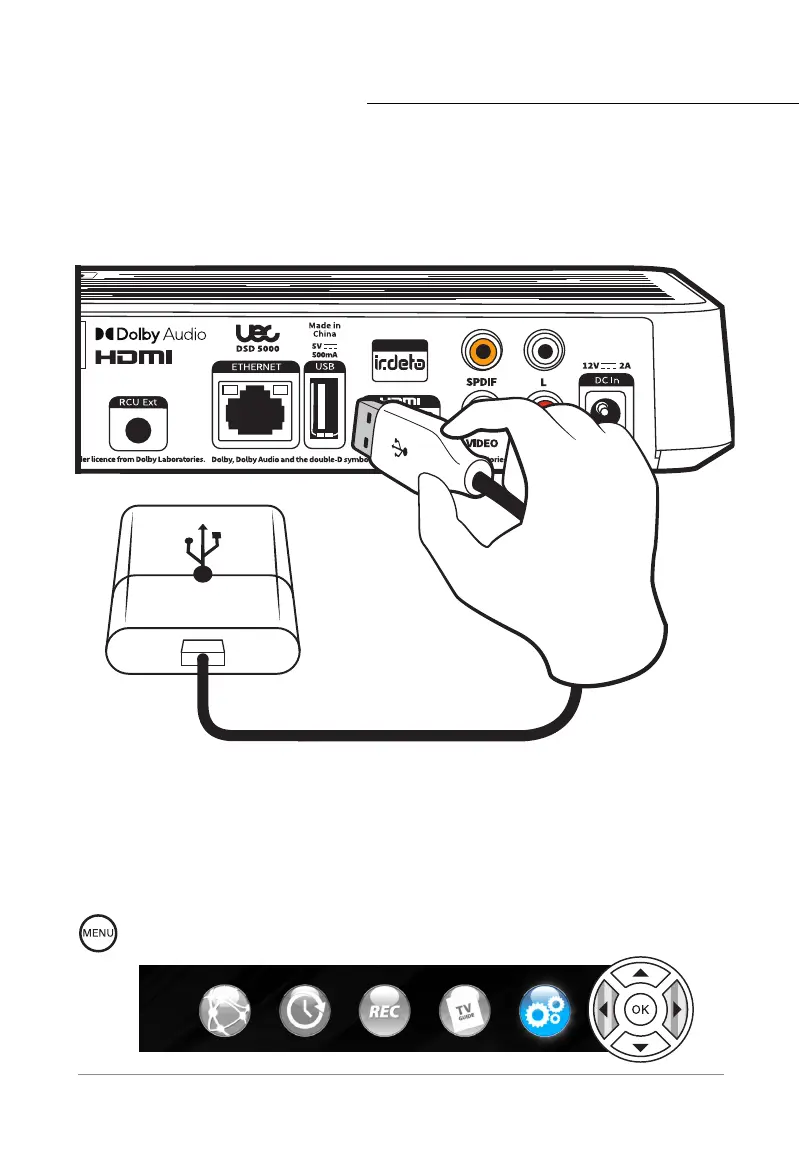
Step 1: Connect External Storage
Plug the external drive into the USB port on the back of the Set Top Box. Ensure the cable is
connected to the External Hard Drive.
Step 2: Open Settings Menu
Press the MENU button on your Remote Control. Using the NAV buttons, select the
SETTINGS menu and press the OK button.
*Visit https://uec.com.au/support/supported-hard-drives to see a full list of compatible storage
devices.



 To Next Page