38
External Storage Setup
Step 3: Go To Recording Settings
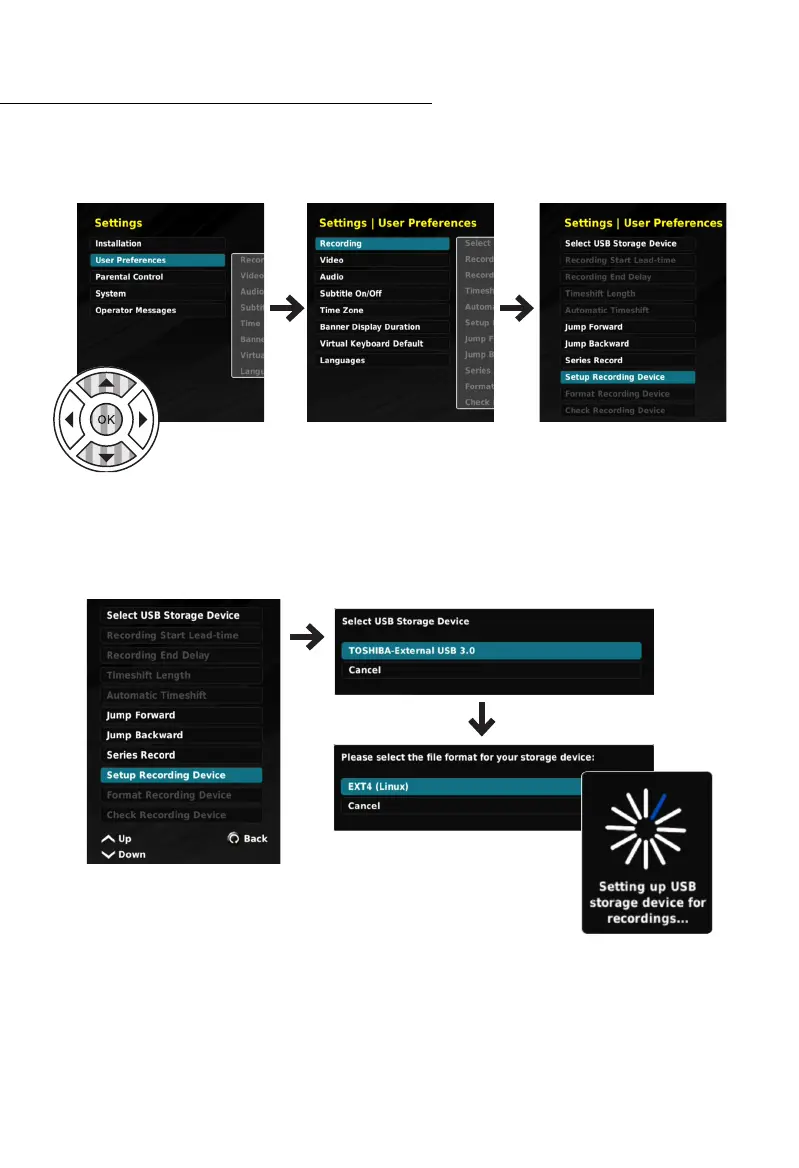
Navigate to the SETTINGS menu.
Settings > User Preferences > Recording
Step 4: Setup Recording Device
Select “SETUP RECORDING DEVICE” and press the OK button. Select the External HDD you
connected, and press the OK button. Select the “File Format”, which is EXT4 (Linux) and
press the OK button. Next you will need to wait for the HDD to be formatted.
Once the process is completed, you can use the Personal Video Recorder Functions, such
as MY RECORDINGS, and the SCHEDULER.



 To Next Page