32
User Preferences
User Preferences
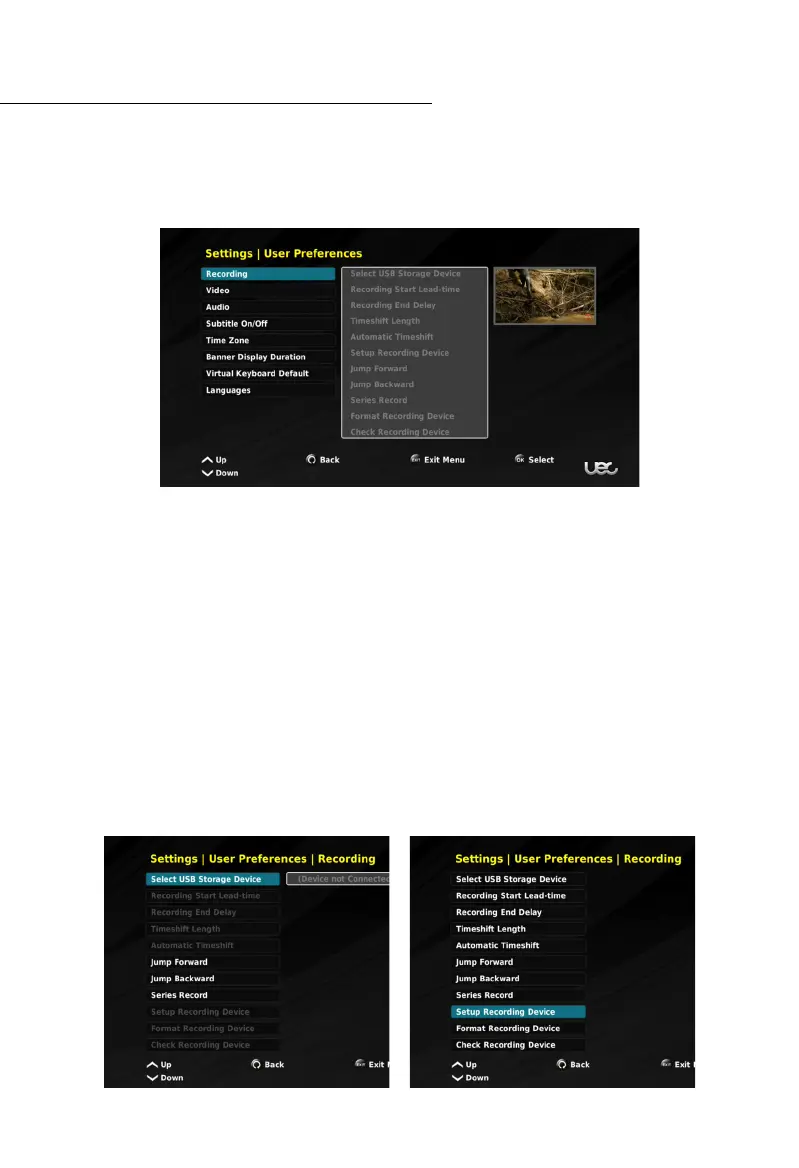
The user preferences settings allow for more in depth customization of several features, such
as PVR setup, video resolution, the audio output, and language settings.
Within this menu you have access to:
• Recording,
• Video,
• Audio,
• Subtitles,
• Time Zone,
• Banner Display Duration,
• Virtual Keyboard Default, and
• Languages.
Recording
Depending whether a hard drive or USB stick is detected will determine the options available
within this menu.
Without PVR Capability With PVR Capability



 To Next Page