25
Parental Controls
The Parental Control Rating enables you to block programs and recordings, according to the
rating provided by the Broadcaster. See “Parental Controls” on page 35.
Information Banner
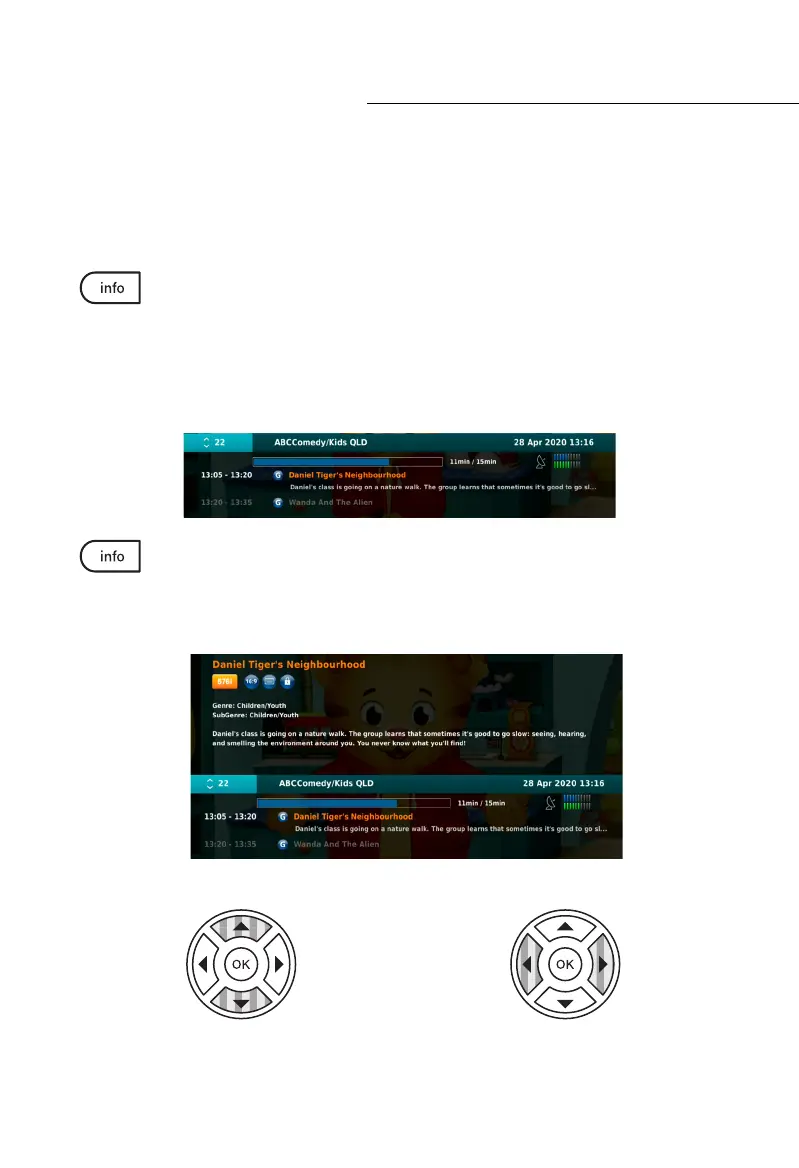
While on Live Satellite TV, press the Info button to present the INFORMATION
BANNER. The INFORMATION BANNER provides you with a brief description
of the current and upcoming programs. You will also see other useful information like the
current date and time, the current channel name and number, the schedule for the current
and upcoming programs, satellite signal and quality levels, and a progress bar. The info
banner will automatically collapse after an elected period of time (you can adjust the on
screen time in SETTINGS).
Press the Info button again before the INFORMATION BANNER collapses and you
will be presented with a Detailed Description of the Program information. Other
details are also displayed such as the current resolution of the program, the display format,
the age rating of the program, and whether subtitles are available.
General Functions
While the INFORMATION BANNER is
displayed, use the up and down NAV buttons
to view other channels and their program’s
information.
While the INFORMATION BANNER is
displayed, use the left and right NAV
buttons to view the information of the next
upcoming program.



 To Next Page