40
Program Guide (EPG)
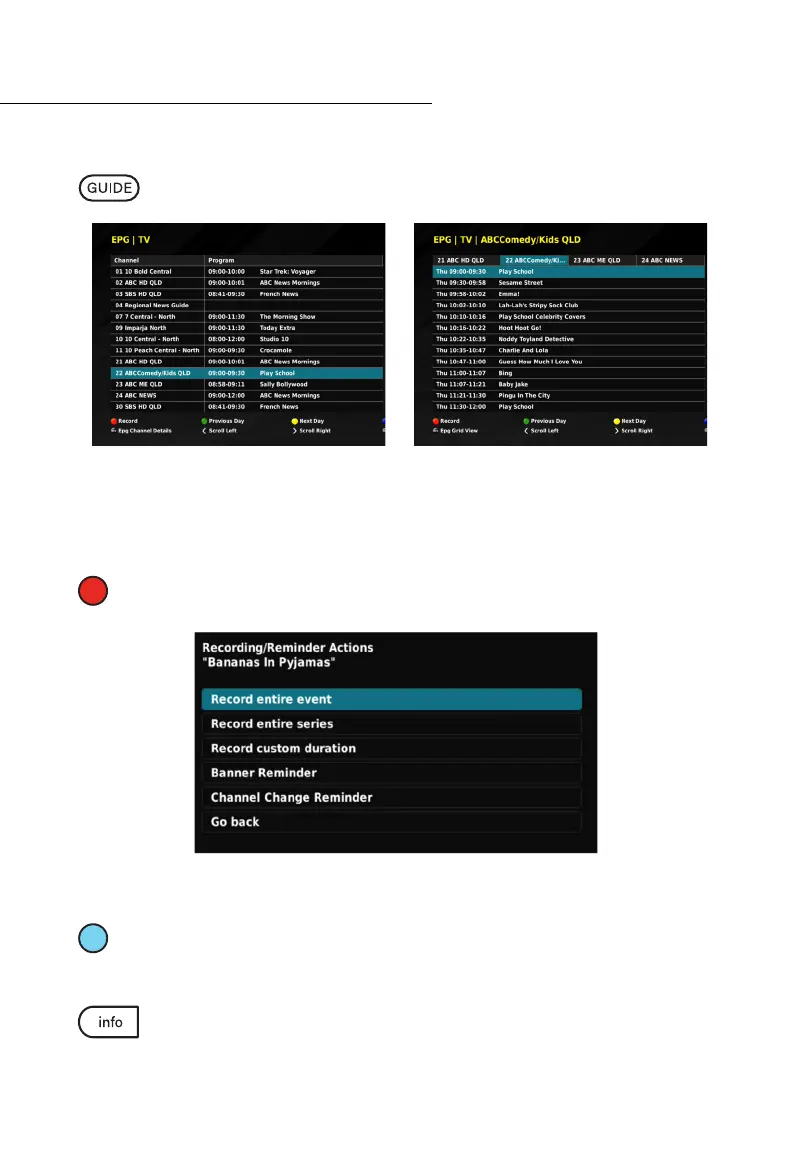
Alternative EPG Views
While in the ELECTRONIC PROGRAM GUIDE, press the GUIDE button on your
remote control, to cycle through different viewing options.
Recording inside EPG
You have the ability while within the ELECTRONIC PROGRAM GUIDE to set reminders
and record programs and series.
RECORD: Press the Red (1
st
from left) button while the desired program is highlighted
to set the recording or reminder.
Select the desired action and follow the on-screen prompts.
EVENT SEARCH: The event search allows you to see a list of upcoming episodes for a
specific program. While in the EPG, highlight the desired program and press the Blue
(4
th
from left) button.
While in the EPG, press the Info button while your desired program is highlighted
to present the INFORMATION BANNER, which contains a brief description and
other program details.
View all current programs. View all up coming
programs by channel.



 To Next Page