16
Hardware Setup
Step 1: Check SmartCard
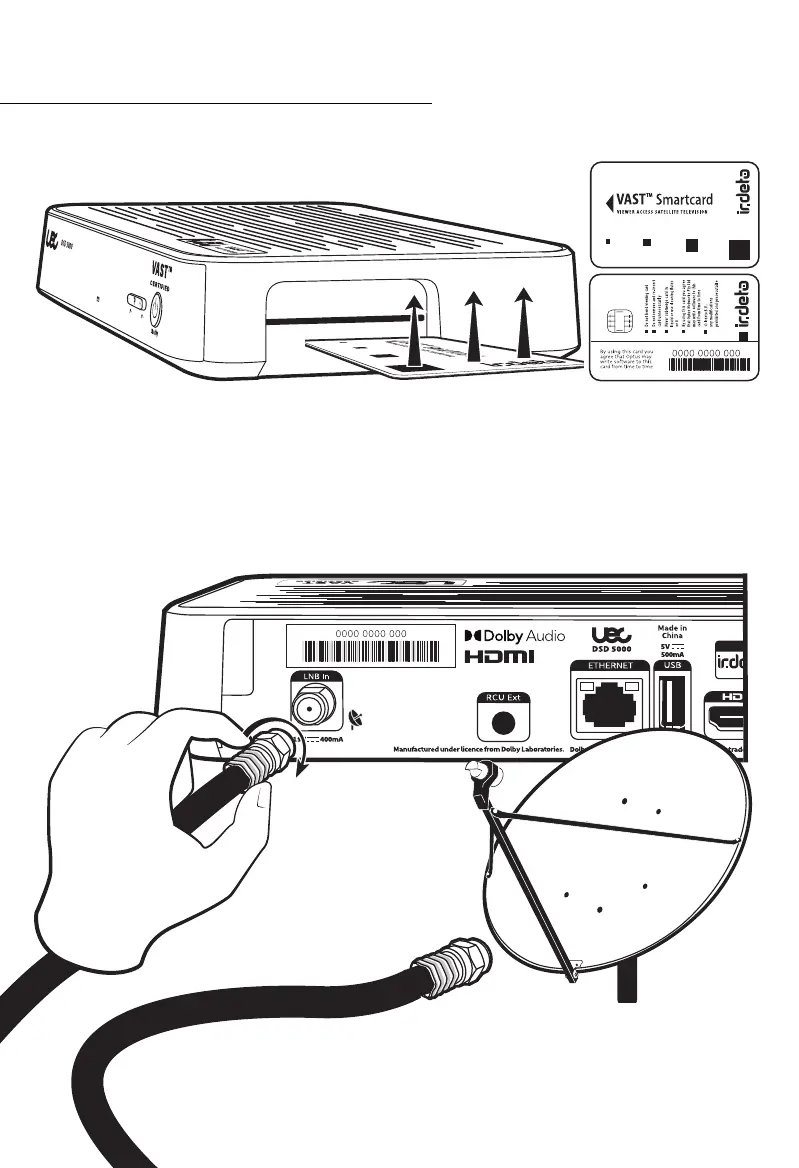
Ensure the smart card is inserted correctly. The chip should be facing down and the arrow
facing inwards. An error will appear if the smart card cannot be read by the STB.
See “VAST™ Registration Process” on page 22 for instructions on registering you Smartcard.
Underside of Card
Topside of Card
Connect the cable for your satellite dish to the LNB IN socket. Twist the nut clockwise to
tighten to ensure it is secure. DO NOT over tighten, finger tighten only.
Step 2: Connect Satellite Feed



 To Next Page