17
Step 3: Connect Set Top Box to TV
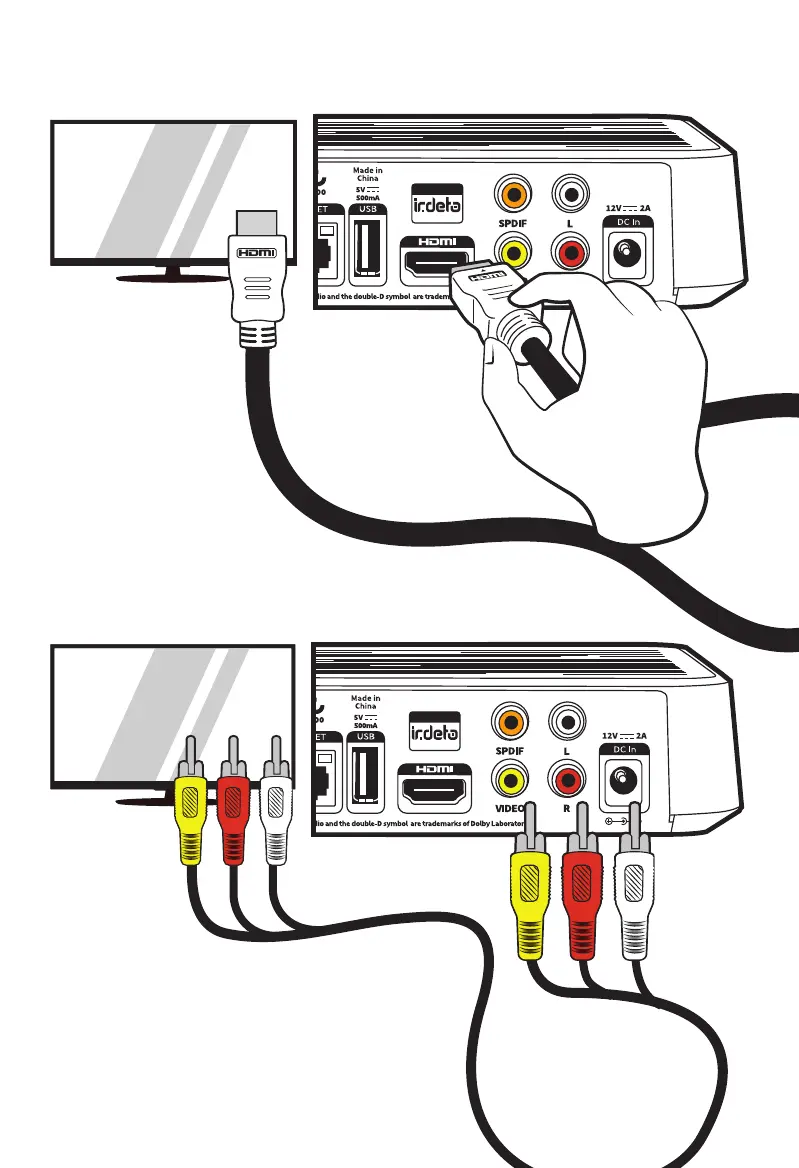
A. Connect with HDMI Cable (provided)
B. Connect with RCA Cables (Optional Extra)
If your TV or VCR requires an analog video connection
(sometimes ‘CVBS’, ‘Composite’ or ‘AV’) please use a
Yellow, Red and White “RCA” cable, and match the
colours. If only one audio (‘mono’) cable is required, it
is usually the white (Left/Mono) cable.
Using the provided
HDMI cable, insert
one end into the Set
Top Box HDMI socket,
then connect the other
end of the cable into a
HDMI port on your TV.



 To Next Page