18
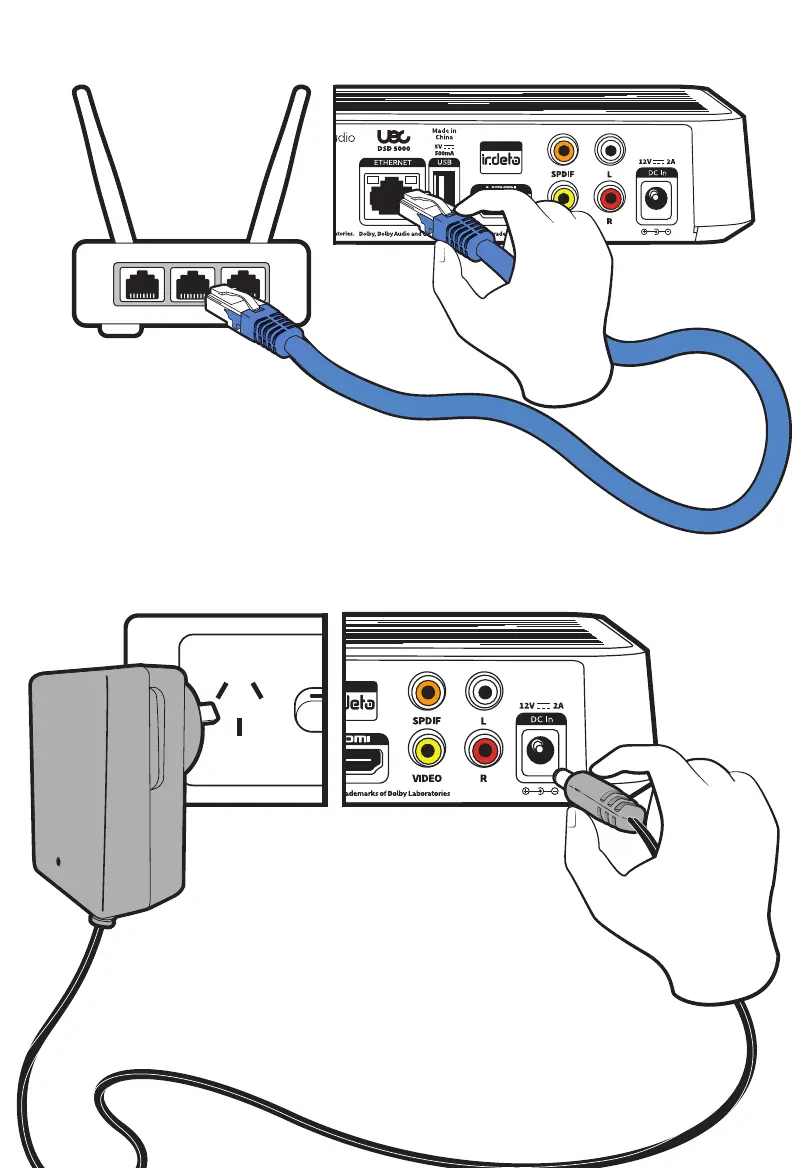
Step 4: Connect Set Top Box to Power Supply Unit
LAN Port 1 LAN Port 2 LAN Port 3
Optional: Connect Set Top Box to the Internet
Using an Ethernet cable (not provided) connect one end of the cable
into the Ethernet port of the STB, then plug the other end into a LAN
port of your internet router. See “Internet Setup” on page 30.
Plug the PSU DC Jack Connector into the “DC In” port of the
STB. Then plug the power adaptor into a power socket. Once
all the STB hardware is connected, turn on the wall power
socket.



 To Next Page