45
Recordings
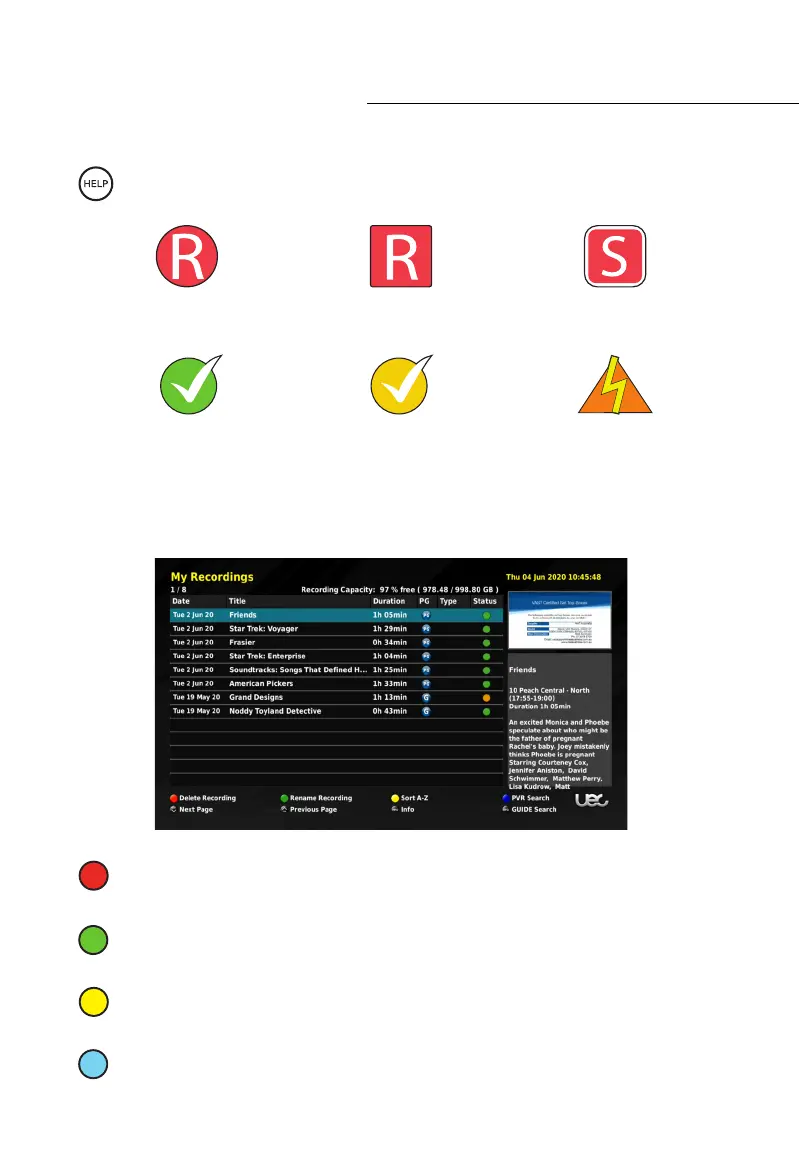
In the MY RECORDINGS menu you can manage all the recordings stored on your hard drive.
The following functions only apply if there are recordings stored on your hard drive.
DELETE RECORDING: Press the Red (1
st
from left) button while the desired event is
highlighted to delete it.
RENAME RECORDING: Press the Green (2
nd
from left) button to rename the
recording with the on screen keyboard.
SORT: Pressing the Yellow (3
rd
from left) button while in the MY RECORDINGS menu
allows you to select the order of which your recordings are displayed.
PVR SEARCH: Pressing the Blue (4
th
from left) button while viewing your recordings
will allow you to search your recordings with the on-screen keyboard.
Event Based
Recording in Progress
Custom Duration
Recording in Progress
Series
Recording Scheduled
Completed
Recording (Ticked for Viewed)
Incomplete
Recording (Ticked for Viewed)
Error Encountered
During Recording
Description of Icons
While in the scheduler press the HELP button to see the Icons and their descriptions.



 To Next Page