46
7 OPTION
46
OPTION
Chapter
7
Example) Change the moving average filter (address 40009) to 20 (0x0014) and digital
low pass filter to 6Hz (*).
* Select the F331 digital low pass filter setting from:
0: 3Hz, 1: 6Hz, 2: 12Hz.
Write "1" for 6Hz in the example.
Keep in mind that the relative address for writing in the moving average filter is 0x08.
11 (0x0B) Get comm event counter
The event counter is incremented by one each time each slave processes a request.
It is not incremented if there is an error in any frame or by reading other counters.
With the master, whether or not processing is executed can be judged by reading this counter before
and after the request.
As status, 0x0000 (slave is not busy) is always returned.
Example) Read the event counter.
The example shows the case of 264 (0x0108) commands having been processed so far in a not-
busy state (0x0000).
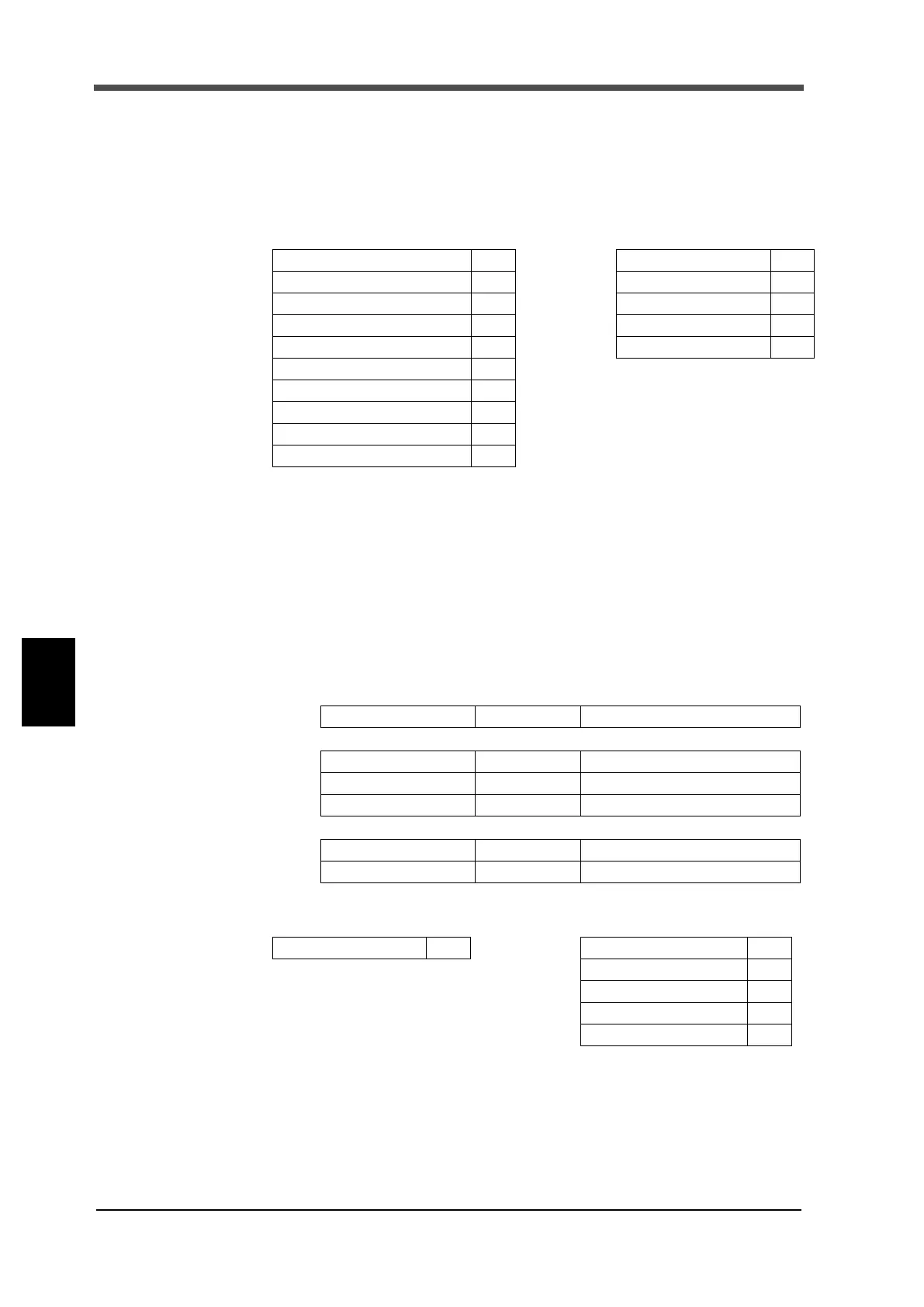
[Request]
Function 10
[Response]
Function 10
Start address; higher 00 Start address; higher 00
Start address; lower 08 Start address; lower 08
Register; higher 00 Register; higher 00
Register; lower 02 Register; lower 02
Number of data bytes 04
Moving average filter; higher 00
Moving average filter; lower 14
Digital low pass filter; higher 00
Digital low pass filter; lower 01
[Request]
Function 1 byte 0x0B
[Response]
Function 1 byte 0x0B
Status 2 bytes 0x0000
Event counter 2
bytes 0x0000 - 0xFFFF
[Error response]
Error code 1 byte 0x8B (function + 0x80)
Exception code 1
byte 01
[Request]
Function 0B
[Response]
Function 0B
Status; higher 00
Status; lower 00
Event counter; higher 01
Event counter; lower 08


 To Next Page