OSSD Safety
Signals
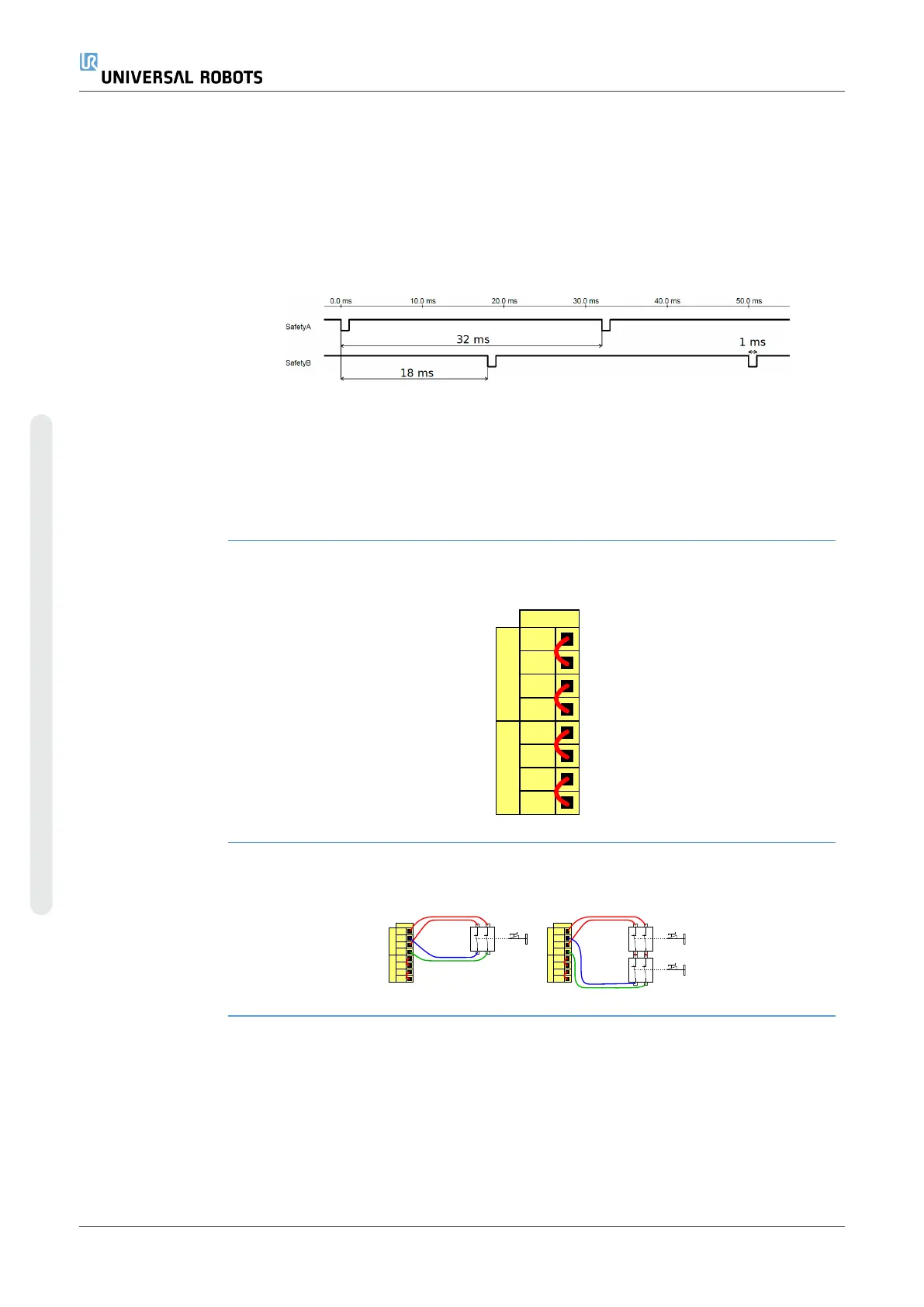
You can configure the Control Box to output OSSD pulses when a safety output is
inactive/high. OSSD pulses detect the ability of the Control Box to make safety outputs
active/low. When OSSD pulses are enabled for an output, a 1ms low pulse is generated
on the safety output once every 32ms. The safety system detects when an output is
connected to a supply and shuts down the robot.
The illustration below shows: the time between pulses on a channel (32ms), the pulse
length (1ms) and the time from a pulse on one channel to a pulse on the other channel
(18ms)
To enable OSSD for Safety Output
1. In the Header, tap Installation and select Safety.
2. Under Safety, select I/O.
3. On the I/O screen, under Output Signal, select the desired OSSD checkbox. You
must assign the output signal to enable the OSSD checkboxes.
Default safety
configuration
The robot is delivered with a default configuration, which enables operation without any
additional safety equipment.
24V
EI1
24V
SI0
24V
SI1
24V
EI0
Safety
Safeguard Stop
Emergency Stop
Connecting
emergency stop
buttons
Most applications require one or more extra emergency stop buttons. The illustration
below shows how one or more emergency stop buttons can be connected.
24V
EI1
24V
SI0
24V
SI1
24V
EI0
Safety
Safeguard Stop
Emergency Stop
24V
EI1
24V
SI0
24V
SI1
24V
EI0
Safety
Safeguard Stop
Emergency Stop
UR10e PolyScope X 56 User Manual
4. Electrical Interface
Copyright © 2009–2024 by UniversalRobotsA/S. All rights reserved.










 To Next Page