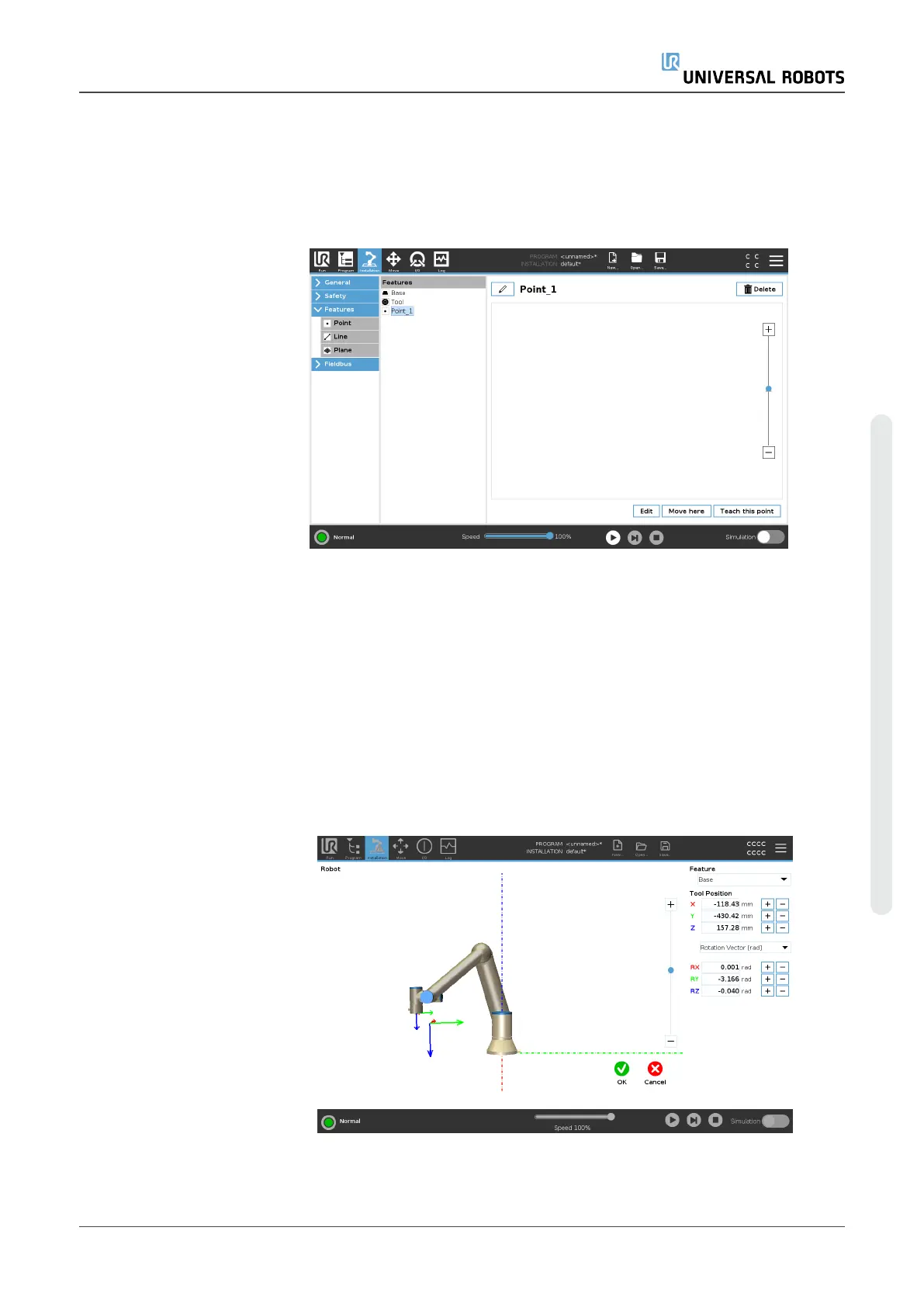
Feature Edit
Description The Feature Edit is an alternative way to add features to your installation
and/or edit existing features.
Use Edit to place and move features without moving the robot arm, so the
feature can be placed outside of the robot arm's reach.
Editing a Point You can edit a defined point or an undefined point. Editing an undefined
point defines it.
1. In Installation, tap Features.
2. Under Features, select Point to add a point to your program tree.
3. Tap Edit to access the Edit screen to make changes to the position
and rotation of the point
User Manual 306 UR5e
Copyright © 2009–2023 by UniversalRobotsA/S. All rights reserved.














 To Next Page