D291308.5q.fm Software Setup
Chapter 2: Setup 15
PT-55 Driver Installation
After the PT-55 software has been installed, the PT-55 USB/Serial Driver must be installed in the
laptop that will run the PT-55.
1. Turn the PT-55 ON, then connect the computer to the PT-55 with the USB Cable.
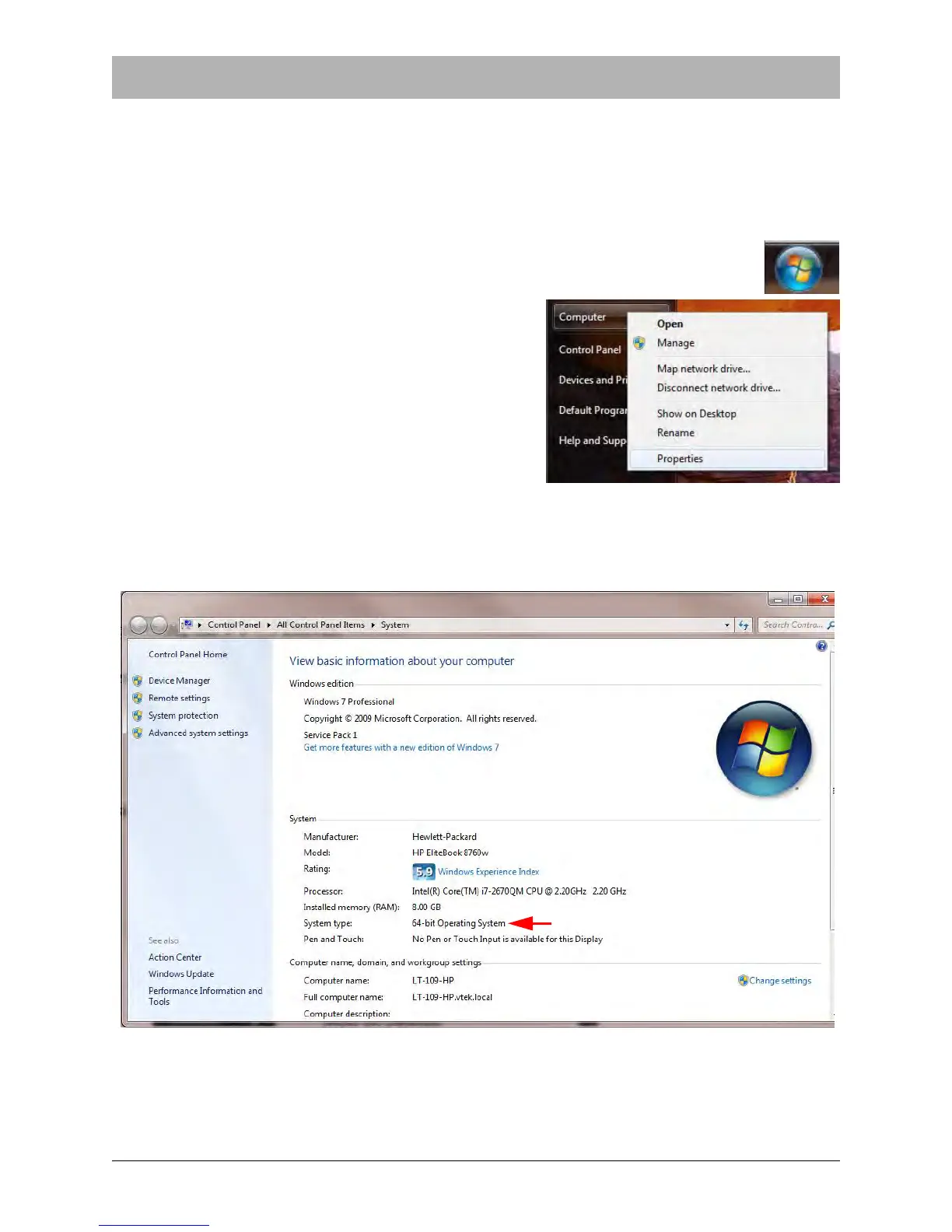
2. Open the Start Menu on the target system by clicking the icon on the right.
Right click Computer and select Properties
.
3. The System Control Panel window will open. Look in the System Information section to deter-
mine whether or not the target system is 32-bit or 64-bit.
.



 To Next Page