16 PT-55 User’s Guide
Software Setup D291308.5q.fm
4. Navigate to c:\V-Tek\PT-55\Drivers and unzip the driver files.
• Select x64 for 64-Bit OS
• Select x86 for 32-Bit OS
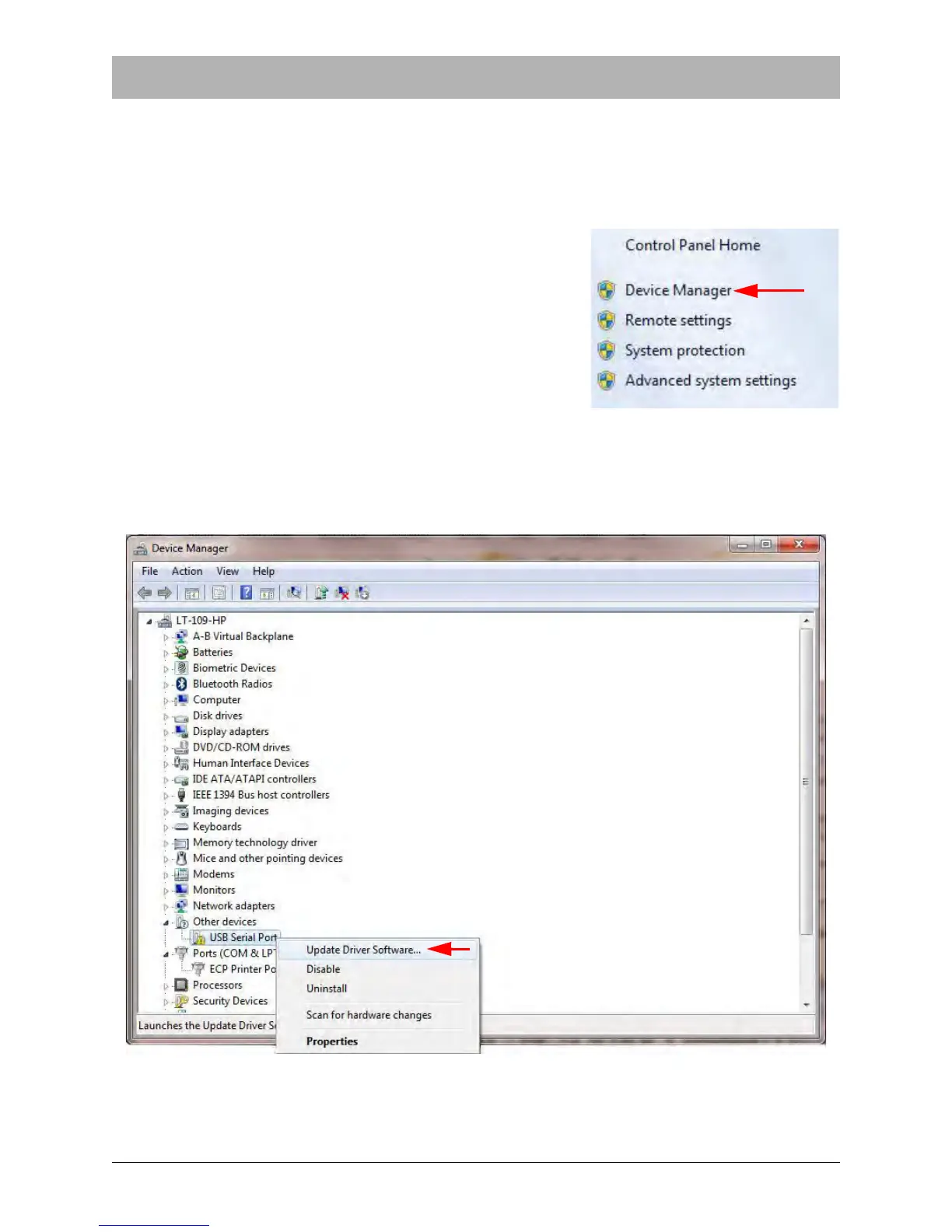
5. Within the System Control Panel click Device Manager..
6. As shown below, find the unknown device in the Device Manager. Right click the device and
select Update Driver Software.
.



 To Next Page