32 PT-55 User’s Guide
Main Screen Details D291308.7M.fm
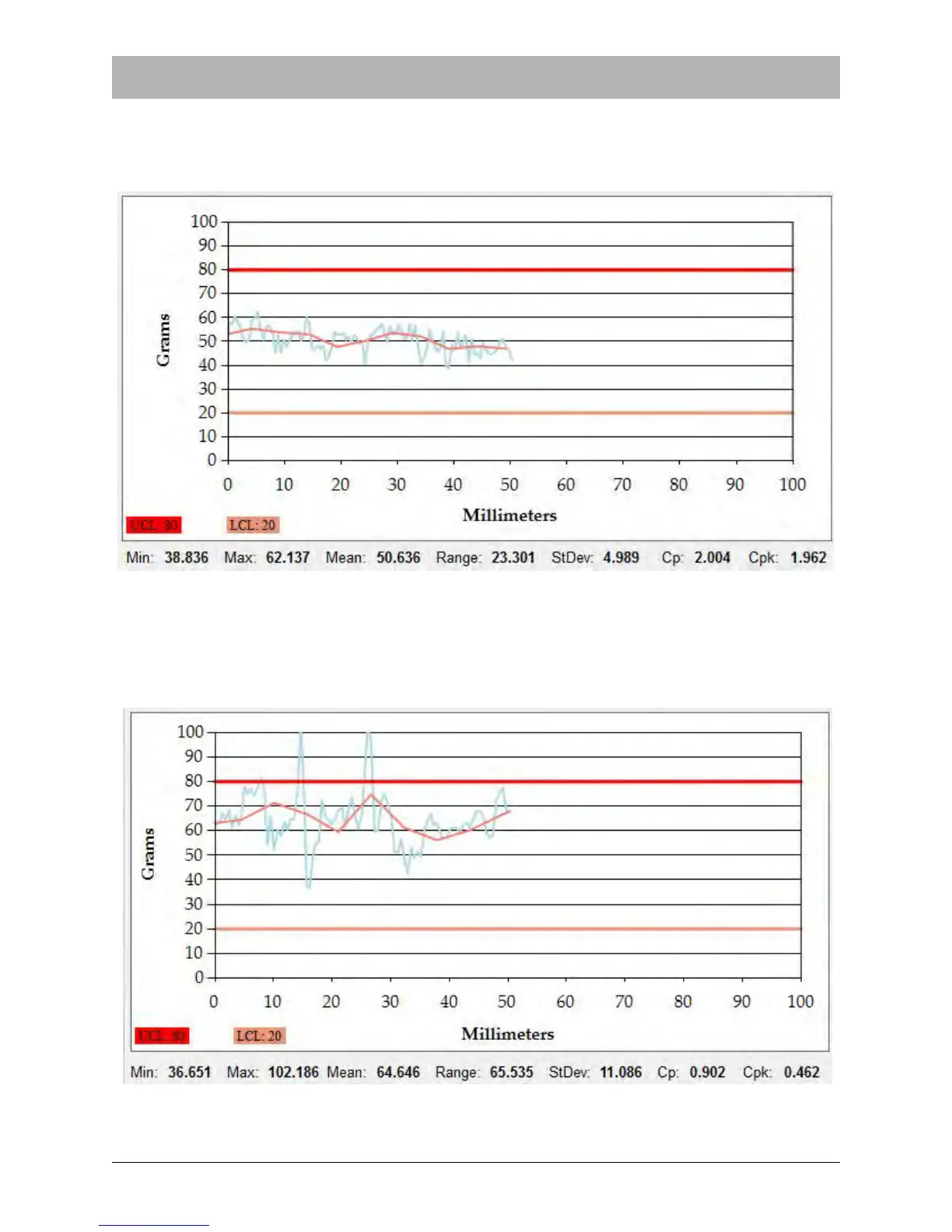
The test below shows a test with Moving Average Enabled in the Supervisor Screen. The blue
line represents all readings. The pink line represents the moving average. All readings are
between the Upper and Lower Limit values, a PASS result.
The test below shows Moving Average Enabled in the Supervisor Screen. The blue line repre-
sents all readings. The pink line represents the moving average. While some of the individual
readings exceed the Upper Limit value, the moving average is between the Upper and Lower
Limits, a PASS result.



 To Next Page