D291308.7M.fm Supervisor Settings Screen
Chapter 3: Operation 41
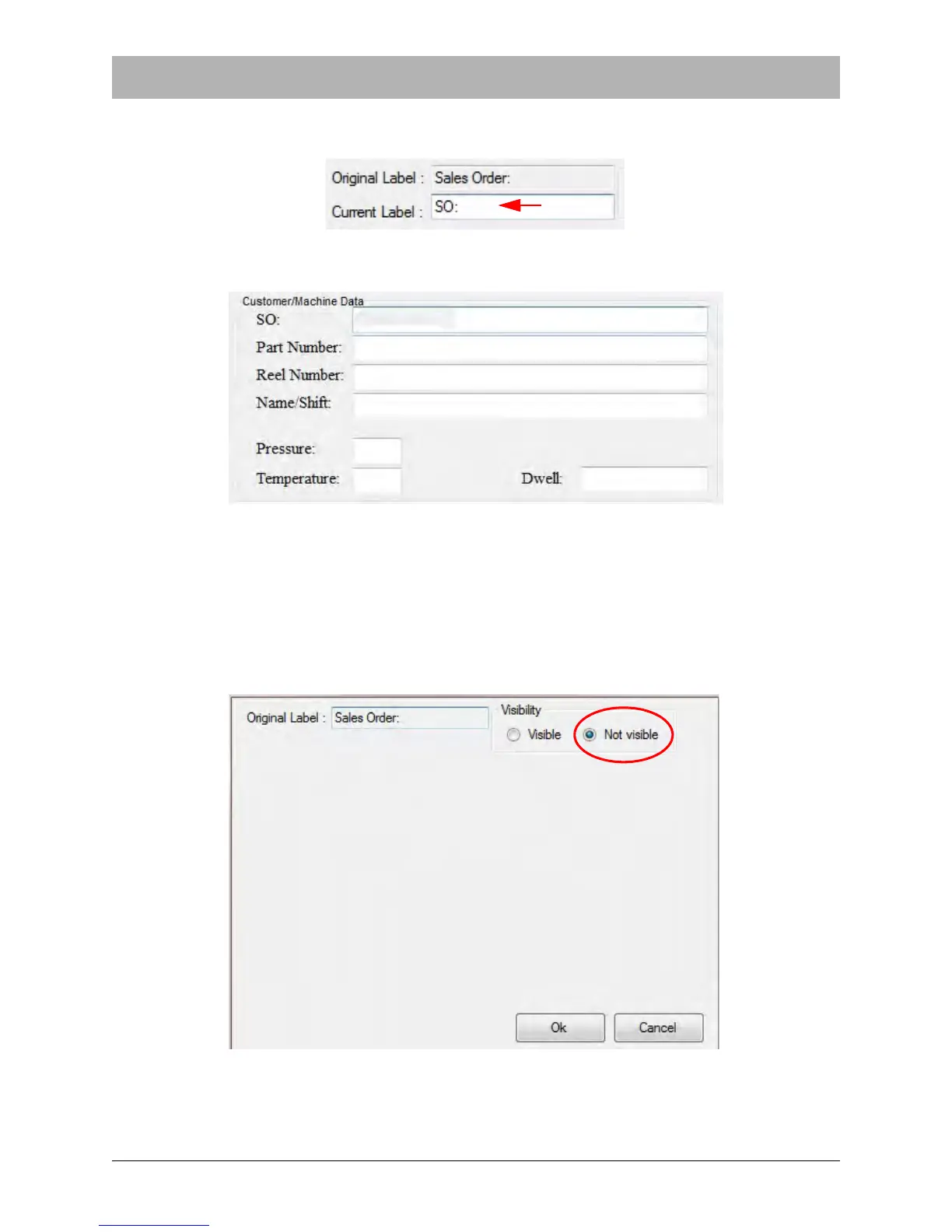
Enter new text in the Current Label field to customize the field label. In this example, the Sales
Order Field has been changed to “SO:”
In the Main Screen, the field will now appear as follows:
Editing Field Visibility
The Supervisor Settings screen can also be used to change the visibility of a field. This is useful
for streamlining test data entry for operators as unused fields can be hidden.
Click in the check box of the field to be edited to open the Change Data window. Again, the Sales
Order field has been selected for this example and the Not Visible option is chosen..



 To Next Page