Operation and configuration
2 Local panel user interface
2.2 Local panel operations
VAMP 24h support phone +358 (0)20 753 3264
Main menu
The general menu structure is shown in Figure 2.2.1-2. The
menu is dependent on the user’s configuration and the options
according the order code. For example only the enabled
protection stages will appear in the menu.
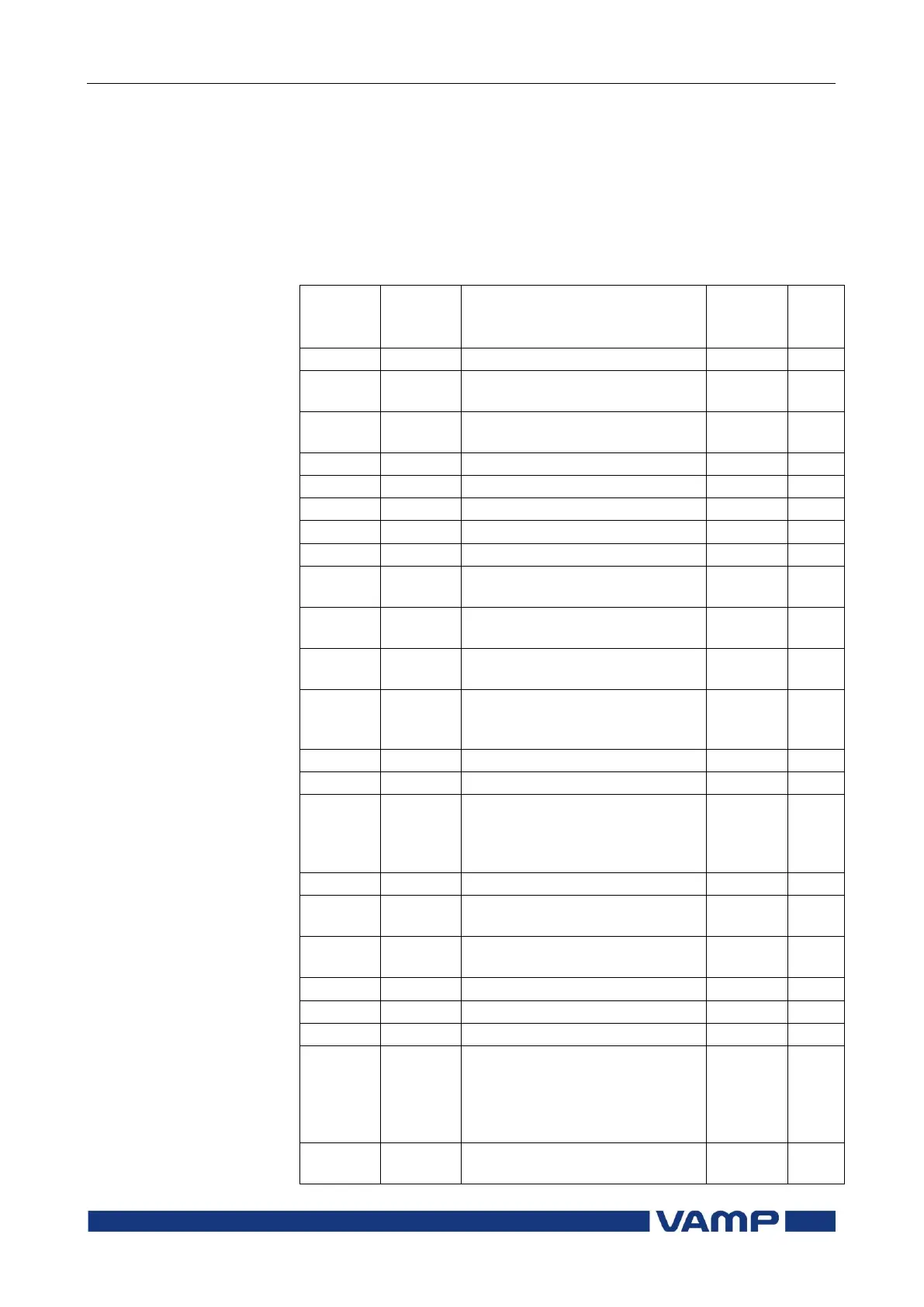
A list of the local main menu
Interactive mimic display
Double size measurements
defined by the user
Title screen with device name,
time and firmware version.
Time stamped min & max of
voltages
Time stamped min & max of
currents
Time stamped min & max of
power and frequency
Maximum values of the last 31
days and the last twelve
months
Running hour counter. Active
time of a selected digital input
and time stamps of the latest
start and stop.
Digital inputs including virtual
inputs
Digital outputs (relays) and
output matrix
Protection counters, combined
overcurrent status, protection
status, protection enabling,
cold load and inrush
detectionIf2> and block matrix
Common settings for distance
zones (Z1 … Z5)


 To Next Page