Operation and configuration
2 Local panel user interface
2.4 Configuration and parameter
setting
VAMP 24h support phone +358 (0)20 753 3264
2.4. Configuration and parameter setting
The minimum procedure to configure a relay is
1. Open the access level "Configurator". The default password
for configurator access level is 2.
2. Set the rated values in menu [CONF] including at least
current transformers, voltage transformers and motor
ratings if applicable. Also the date and time settings are in
this same main menu.
3. Enable the needed protection functions and disable the rest
of the protection functions in main menu [Prot].
4. Set the setting parameter of the enable protection stages
according the application.
5. Connect the output relays to the start and trip signals of the
enabled protection stages using the output matrix. This can
be done in main menu [DO], although the VAMPSET
program is recommended for output matrix editing.
6. Configure the needed digital inputs in main menu [DI].
7. Configure blocking and interlockings for protection stages
using the block matrix. This can be done in main menu
[Prot], although VAMPSET is recommended for block
matrix editing.
Some of the parameters can only be changed via the RS-232
serial port using the VAMPSET software. Such parameters,
(for example passwords, blockings and mimic configuration) are
normally set only during commissioning.
Some of the parameters require the restarting of the relay. This
restarting is done automatically when necessary. If a
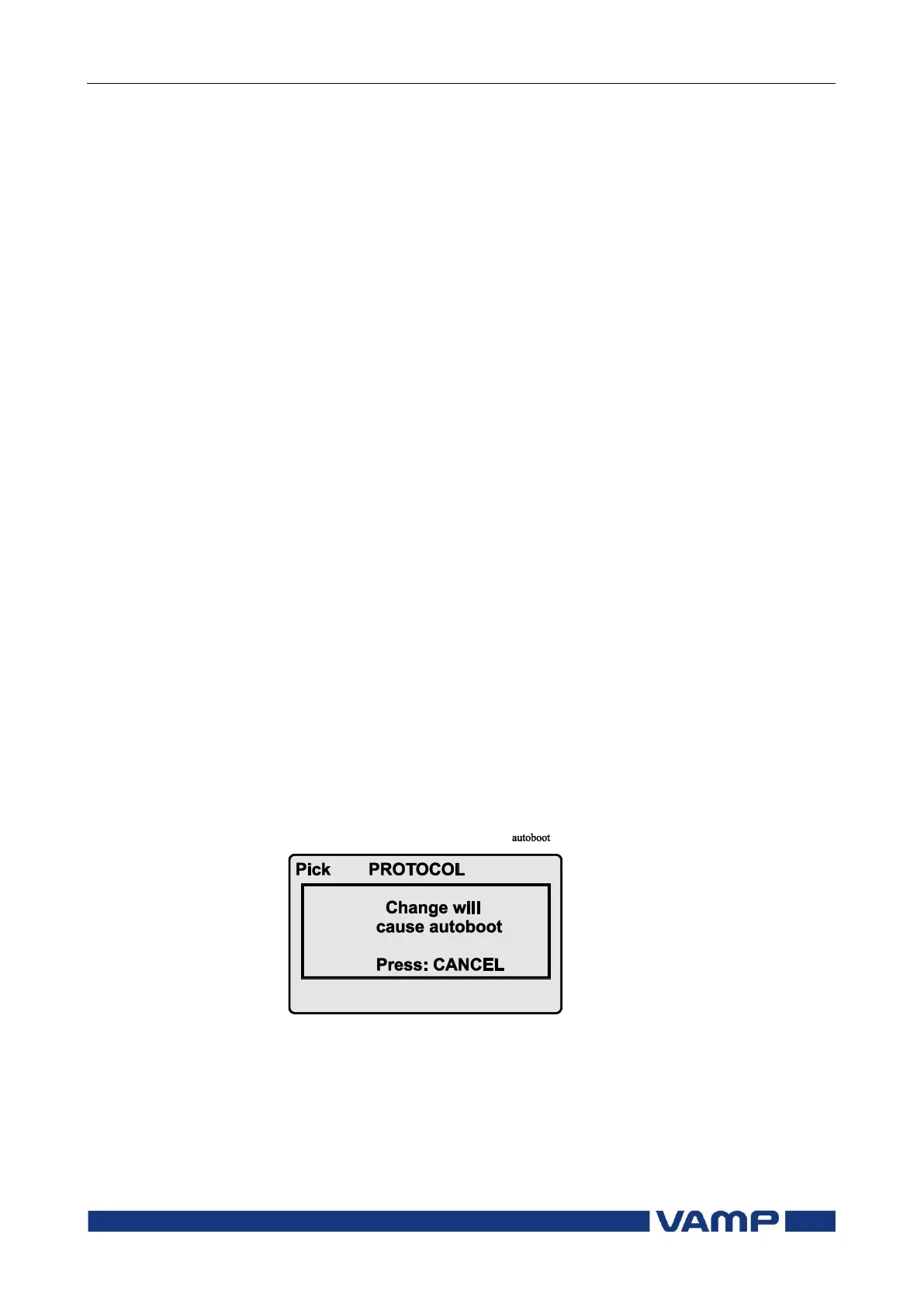
parameter change requires restarting, the display will show as
Figure 2.4-1.
Figure 2.4-1 Example of auto-reset display
Press CANCEL to return to the setting view. If a parameter
must be changed, press the ENTER key again. The parameter
can now be set. When the parameter change is confirmed with
the ENTER key, a [RESTART]- text appears to the top-right
corner of the display. This means that auto-resetting is


 To Next Page