© by N&W GLOBAL VENDING S.p.A. 27 02-2014 4535 00
notes on
Programming
The electronic control unit of the machine controls the
use of many functions.
The program of the machine contains a description of
all the foreseen functions, including those which, for the
specic conguration of the model (layout), are not used.
The machine is provided with a dosage table in which
the main functions and layout provided for the specic
model, as well as the ow chart of the programming
menus are described.
Described below is a summary of the main functions
which are useful for managing the operation of the
machine, not necessarily in the order in which they are
displayed in the menu.
The representation of icons/screens in this manual is
approximate and may vary from the one displayed on the
machine depending on conguration (layouts, themes
and/or icons)
The software versions of the machines and/or
touchscreen can be updated using the appropriate
systems (PC, USB, etc.)
The status of the machine can be in dierent conditions:
- Machine start-up (door closure) with the execution of
the foreseen checks.
- Dispensing selection and messages to the user.
- Automatic wash cycles of the cappuccino maker (if any)
- Setup / backup saving and uploading
- Uploading of videos and images
- Touchscreen block function for cleaning
- Automatic washing and rinsing
- Detection of statistical data and execution of simple
checks on the operation and on the dispensed items.
- Programming of the settings and of the performances
of the machine.
The operations which can be performed with this menu
may change the operating cycles and therefore they
must be performed by people with specific knowledge
of machine, both in relation to electrical safety and
hygiene standards.
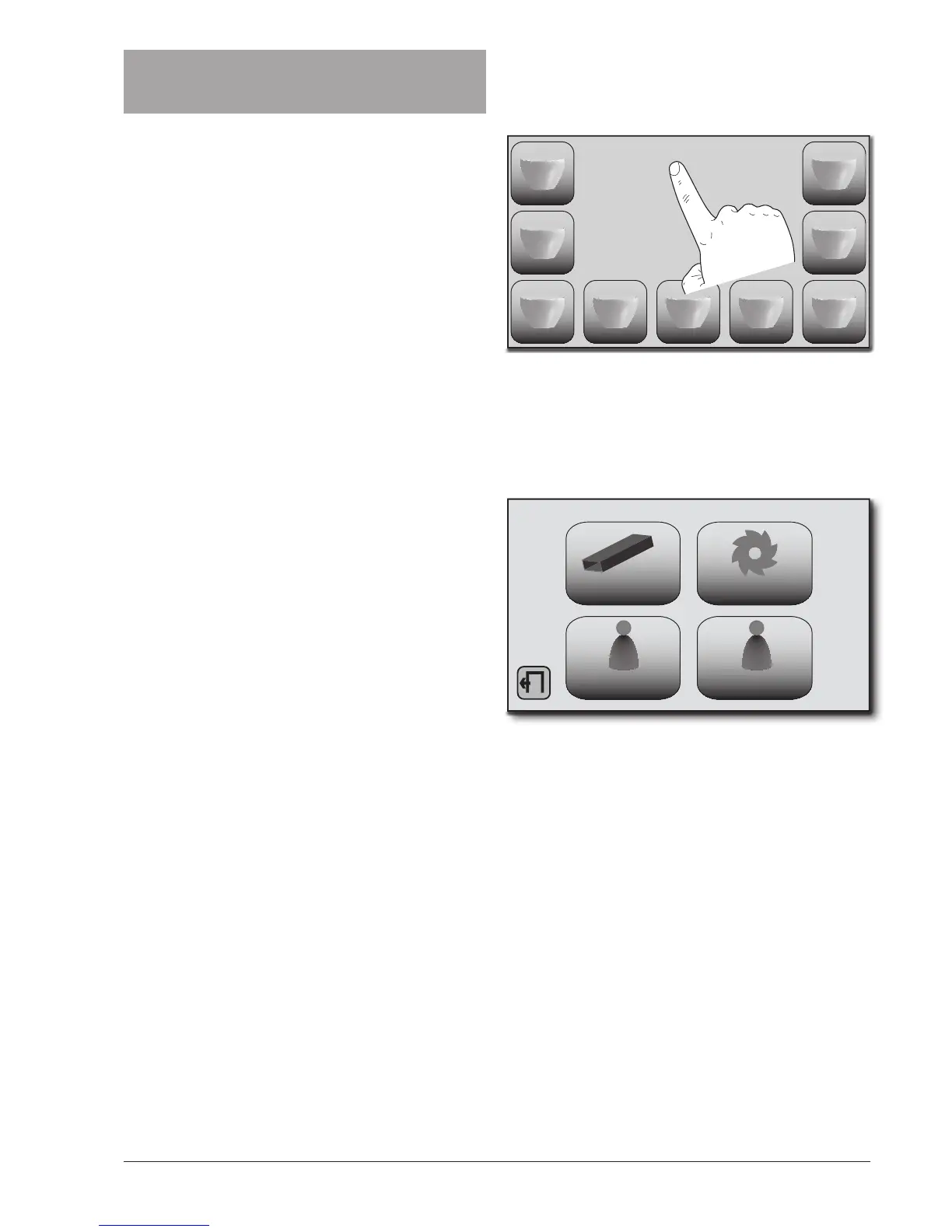
ENTERING THE PROGRAMMING MODE
To access the menu for programming the machine touch
the touchscreen area with the “Please select the drink”
message for 3 seconds.
DATE TIME
SELECT A DRINK
It is proposed a selection screen that allows you to ac-
cess:
- USB menu
- Wash Menu
- Manager Menu
- Technical Menu
USB WASHES
MANAGER TECHNICAL
To access the programming menu you may need to en-
ter your password to access the menu (if enabled).


 To Next Page