© by N&W GLOBAL VENDING S.p.A. 30 02-2014 4535 00
ENGINEER MENU
To enter the “Technical” menu you must enter your 5-digit
password (default 11111 if prompted).
Use the numeric keypad that appears on the screen and
press the enter key.
SELECTIONS
This group of functions allows you to dene all the vari-
ables which contribute to the preparation of the drink.
Conrming this feature provides access to management
functions of the parameters of the selections.
The rst one required is that for choosing the selection
on which to intervene; a screen appears with the icons of
the selections.
After choosing the drink to be operated, a screen is
displayed with the adjustable parameters and a list of the
powders used in the selection (Milk, Espresso,...)
You can change the name of the drink that appears in
the icon displayed in normal use.
For long names, such as Milk with a shot of coee, or
that exceed the size of the icon you can write the name
on 2 rows by inserting the special line break character %
(for example, the string Latte%macchiato on the icon will
be displayed on two rows).
You can choose, among the various icons available, the
one that appears in normal use.
For each selection, you can dene the wait time (in sec-
onds) from the end of the delivery to allow the pipes time
to empty.
This function can be used to assign a 16-character
(alphanumeric) identication code to each selection for
statistical processing.
With this function you can perform a beverage dispens-
ing test.
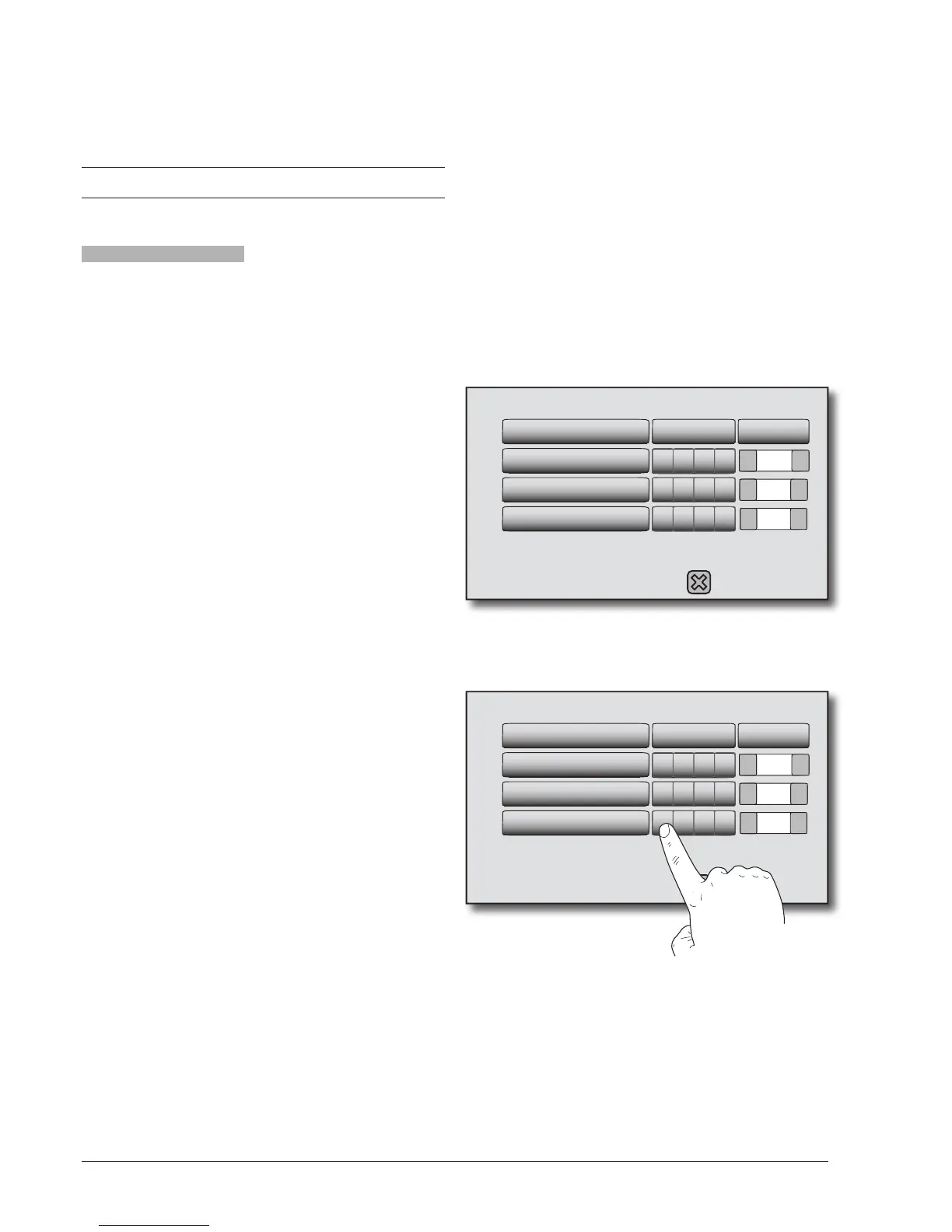
A drink can be composed of a maximum of 4 ingredients
(powder/s and water).
Among the ingredients described in the recipe, the iden-
tication number of the rst ingredient to be dispensed
(start 0) will be indicated as the beginning of dispensing
of the next ingredient.
For example, if the “Cappuccino with chocolate” recipe
includes:
- Ingredient 1 Milk
- Ingredient 2 Coffee
- Ingredient 3 Chocolate
the dispensing sequence of the ingredients is:
- Ingredient 1 Milk (start 0)
- Ingredient 2 Espresso (start 1)
- Ingredient 3 Chocolate (start 2)
- +
0.0
- +
0.0
- +0.0
Time set Sequence Delay
1 Milk 0
2 Espresso 1
3 Chocolate 2
You can modify the list of ingredients of the drink is
shown, listed in the order in which the water dose is
dispensed (see doses table).
To change the sequence of ingredients, simply touch the
box, and then set which ingredient to deliver
- +
0.0
- +
0.0
- +0.0
Time set Sequence Delay
1 Milk 0
2 Espresso 1
3 Chocolate 0
In the example the chocolate is delivered together with
the milk without delay
It is possible to set (in seconds) the delay of the water
with respect to the previous event.


 To Next Page