© by N&W GLOBAL VENDING S.p.A. 28 02-2014 4535 00
BROWSING MODE
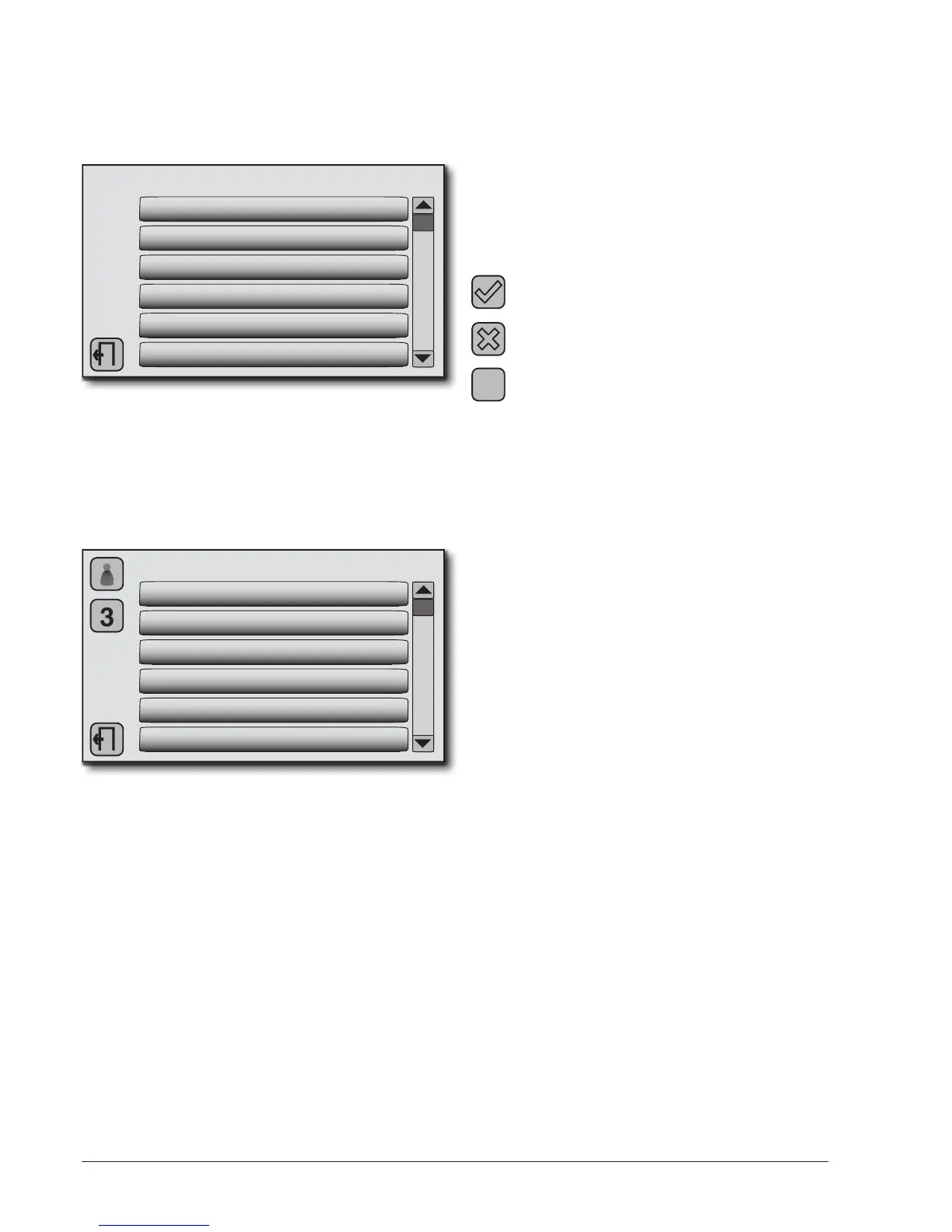
Scroll the menu using the scroll bar, locate and touch the
function to operate on.
The menus are represented as follows:
TECHNICIAN
1. SELECTIONS
2. DISPLAY
3. SETTINGS
4. CALIBRATION
5. DIAGNOSTICS
6. COUNTERS
- The first row shows the menu in which we are operating
(Manager, Technical, Washes, USB)
- On bottom left is the button to exit the programming
menu
- In the middle are the first level menu entries with the
reference number of the function
3. MACHINE SETTINGS
3.1 DATE / TIME
3.2 BOILER TEMPERATURE
3.3 PASSWORD
3.4 SOLID RESIDUE MANAGEMENT
3.5 ENERGY SAVING
3.6 LED
The rst row shows the upper level function in which we
are operating
- On bottom left is the button to exit the programming
menu and go back to normal use
- On top left are the buttons to go up to higher-level func-
tions
- In the middle are the menu entries with the reference
number of the function
When the machine software requires to enter alphanu-
meric values, data, and ON/OFF parameters, it is pos-
sible to use one of the following methods:
- keypad that appears on the screen (alphanumeric /
numeric)
- from the list of proposed values
- “+” and “-” keys
- “ON / OFF” key
The screens allow to:
Conrm the entered values.
In the text shown as
Cancel the entered values.
In the text shown as
�
Exit the programming menu and return to
normal use
Whenever the machine is powered, the display shows
the software version number of the machine and touch-
screen.
After heating the boilers, the guided wash of the milk
circuit is proposed if it has not been made in the last 24
hours (only for models with cappuccino maker).
This can be conrmed by pressing
or avoided with the
button
All subsequent operations, require manual intervention
of the operator, and must be conrmed.
For the sequence of operations refer to the “Wash cy-
cles” section.
It is possible to programme the machine for displaying,
for a few seconds, the number of dispensed items
After a few seconds the display shows the message with
an invitation to select the beverage.


 To Next Page