03 / WI-FI SETTINGS
43
http://setup.verizon.com/businessinternetgateway |
©2024 Verizon. All Rights Reserved
3.2 / ADVANCED SETTINGS
3.2 a/ PRIMARY NETWORK
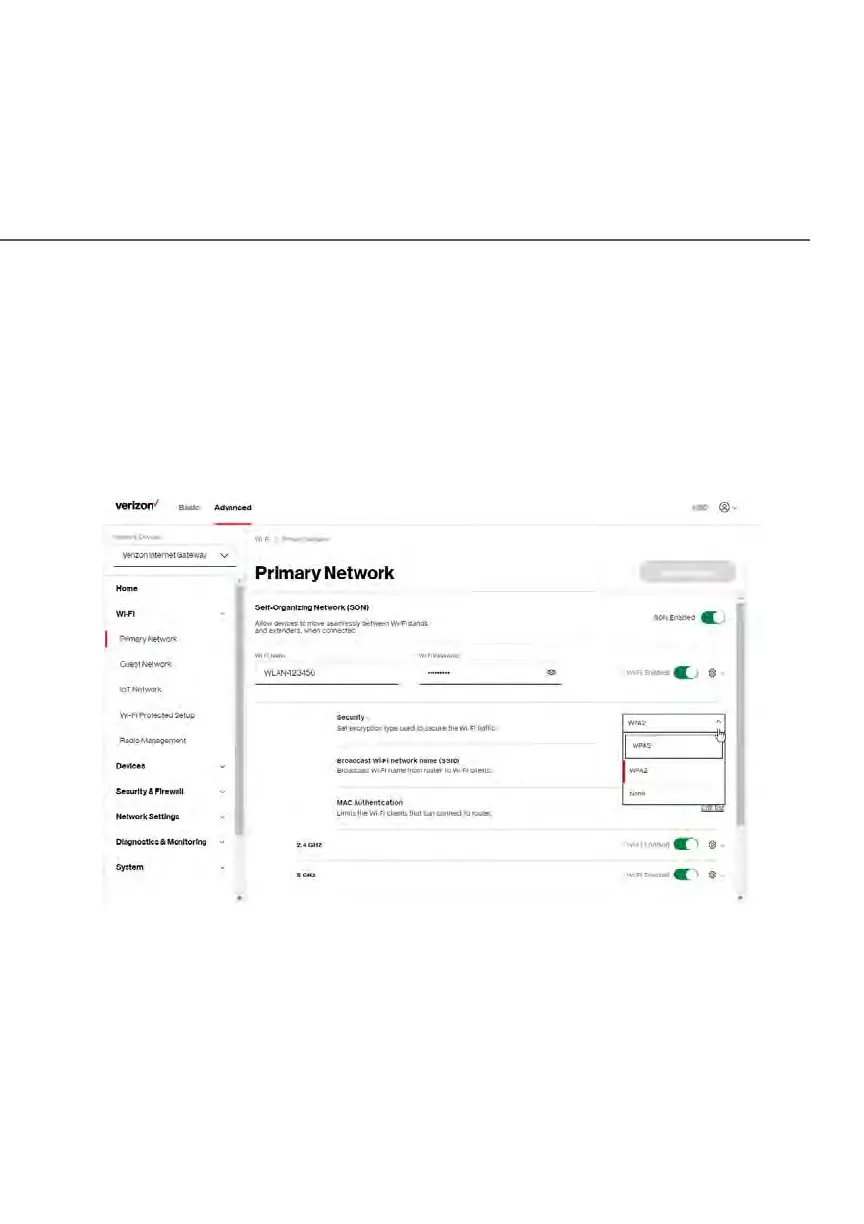
Self-Organizing Network (SON)
The Verizon Business Internet Gateway supports 2.4 GHz and 5 GHz signals. The
Self-Organizing Network (SON) feature lets your devices move between these
signals automatically for an optimized Wi-Fi connection.
To configure SON, Wi-Fi radio, SSID and security settings:
1. From the Advanced menu, select Wi-Fi from the left pane and then click
Primary Network.
2. To enable SON, move the selector to on.
3. To activate the Wi-Fi radio, move the selector to on. If the radio is not
enabled, no Wi-Fi devices will be able to connect to the primary network.















 To Next Page