bASIC SETTINGS
3.1 b/ GUEST NETWORK
The Guest Network is designed to provide internet connectivity to your guests
while restricting access to your primary network and shared files. The primary
network and the guest network are separated from each other through firewalls.
You create one Guest Wi-Fi SSID and one password, and use it for all guests.
The guest network SSID does not change when you make a change to your
primary network SSID.
The Verizon Business Internet Gateway is shipped from the factory with Guest
Wi-Fi turned off. The default SSID for Guest Wi-Fi is preconfigured at the factory
to the default Wi-Fi network name (SSID) which is displayed on a sticker located
on the bottom of the Gateway followed by hyphen guest (-Guest). For example, if
the Gateway is shipped with a default SSID of “Verizon-ABCDE” then the default
SSID for Guest Wi-Fi is “Verizon-ABCDE-Guest”.
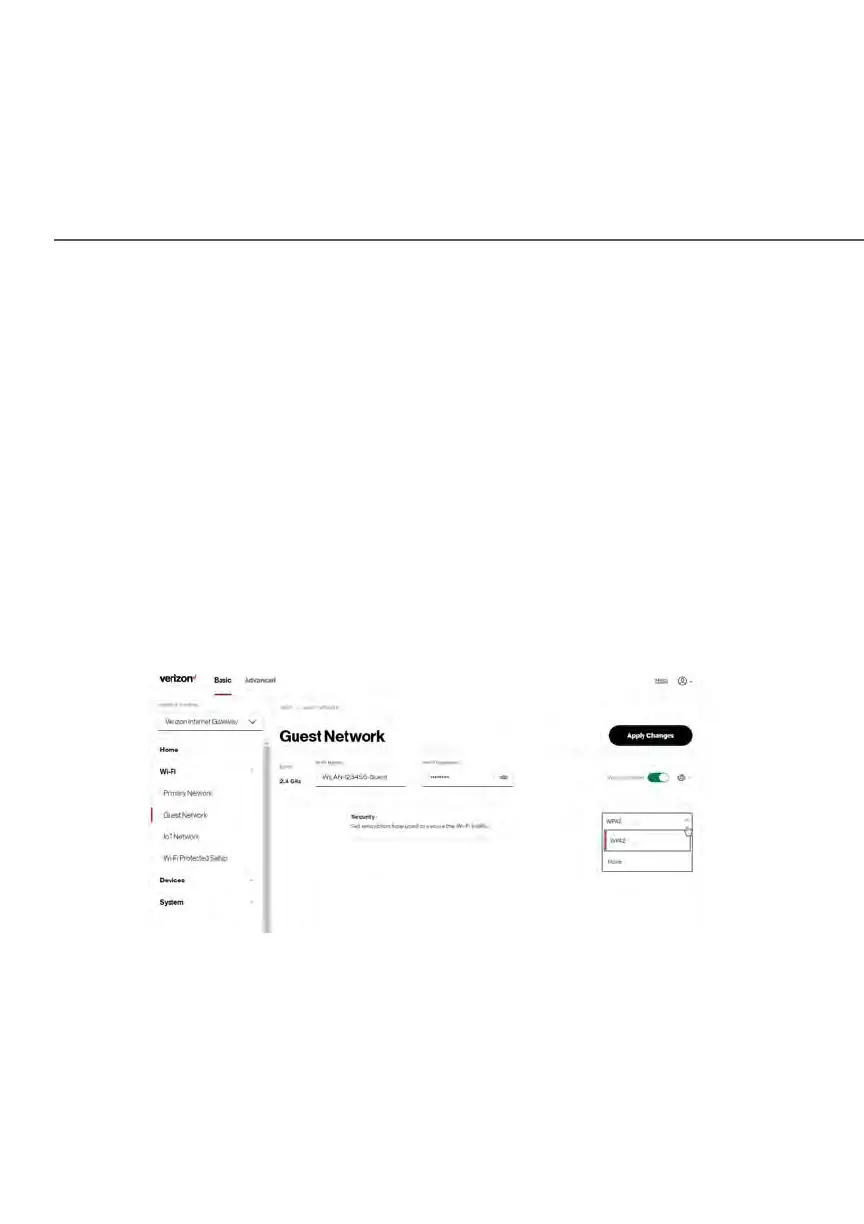
To configure the security settings for your guest network:
1. From the Basic menu, select Wi-Fi and then click Guest Network.
2. Move the selector to on.
3. If desired, enter a new name and password for the Wi-Fi network or
leave the default name and password that displays automatically.















 To Next Page