05 / CONFIGURING
ADVANCED SETTINGS
77
http://setup.verizon.com/businessinternetgateway |
©2024 Verizon. All Rights Reserved
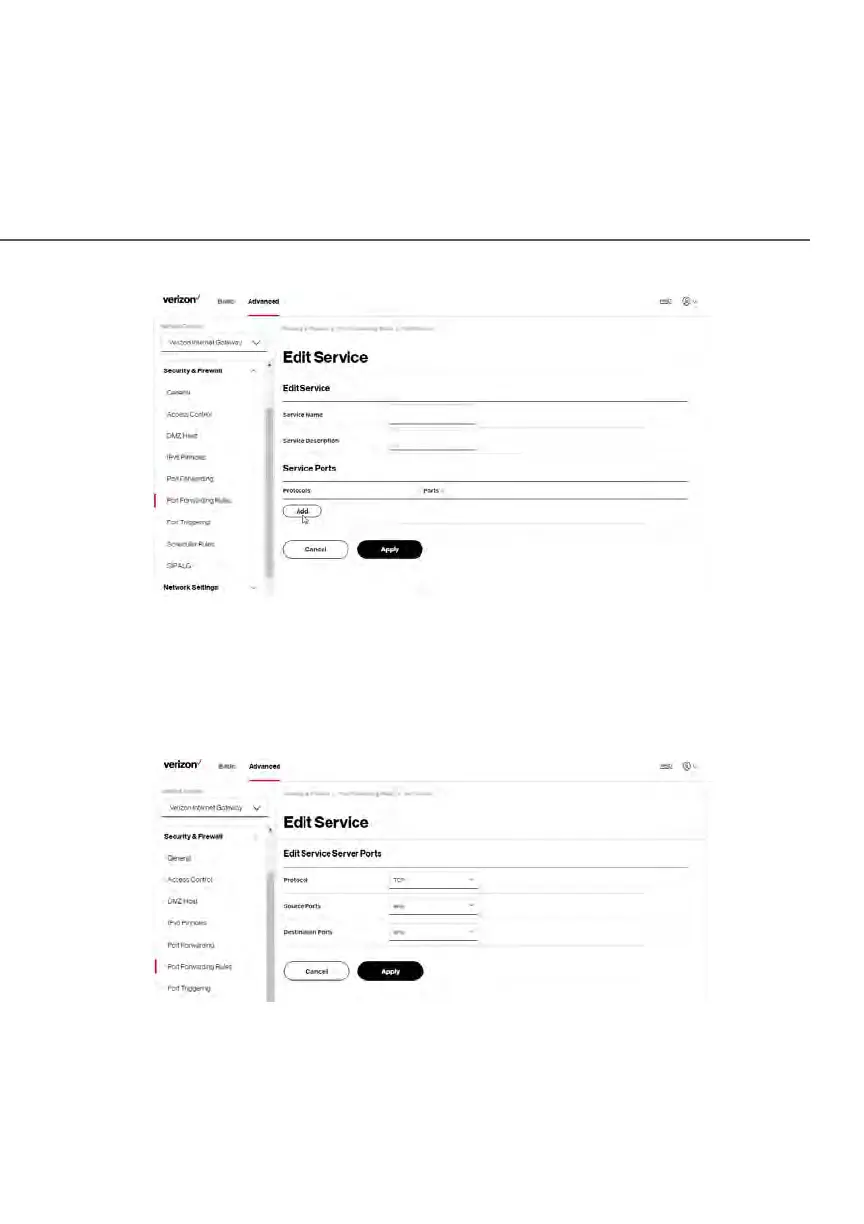
3. Modify the Service Name and Service Description, as needed.
4. To add server ports, click Add.
5. To modify the current protocol, click the Edit icon in the action column.
The Edit Service Server Ports page displays.
6. Enter the Protocol, Source Ports and Destination Ports, as needed.
7. Click Apply to save changes.















 To Next Page