44
Operation
Spreading device
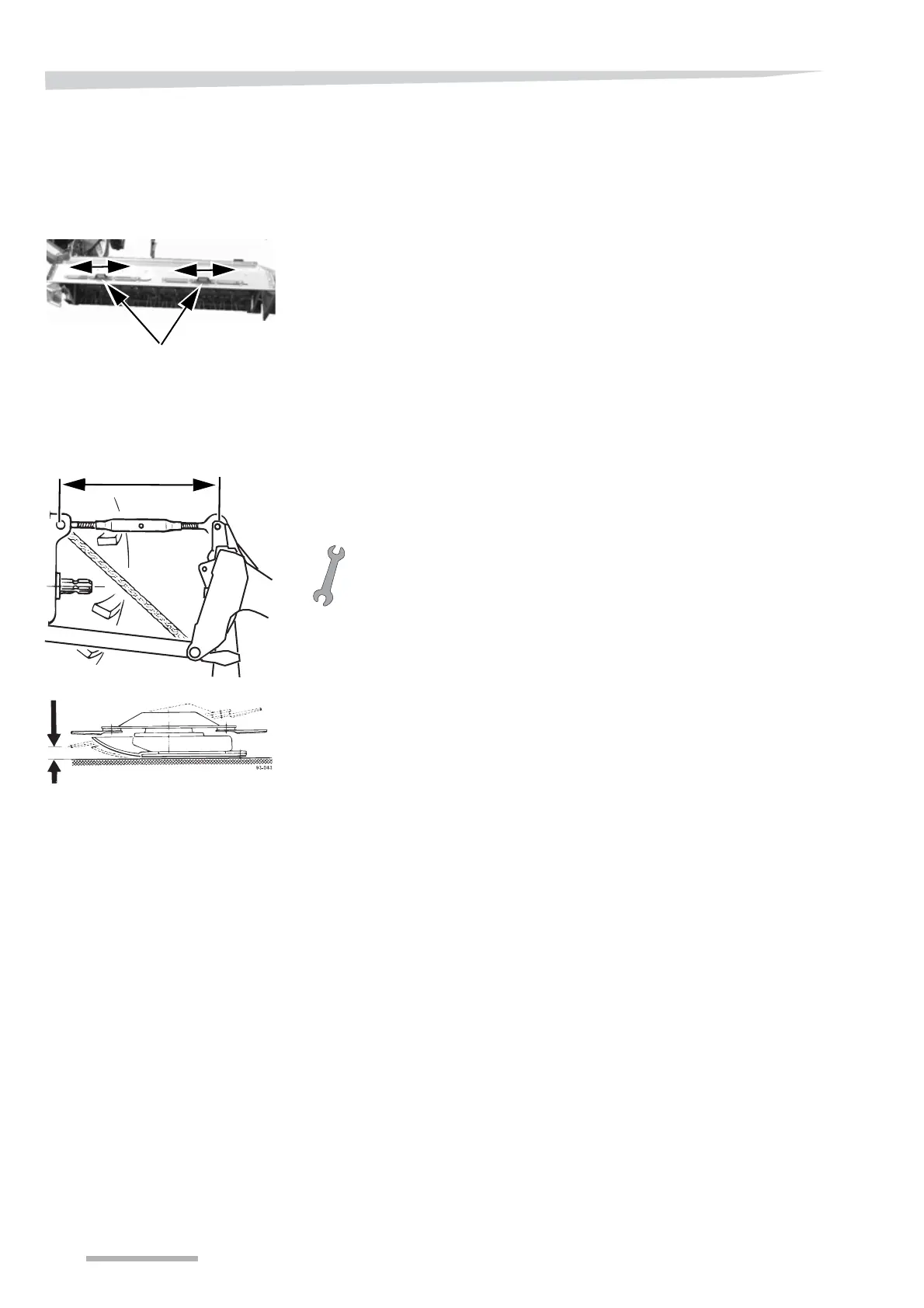
The machine is fitted with a spreading device, that can set the spread
direction as required.
The spreading device is fitted with two handles which should be used
when adjusting the spread.
The direction of the spread is adjusted in the following way:
> Grip the handles either separately or together and pull them to the
required setting.
• Pulling the handles to the left will direct the crop to the left.
• Pulling the handles to the right will direct the crop to the right.
Stubble height
The stubble height is adjusted in the following way:
> Lower the cutting unit to the ground.
> Set the stubble height by adjusting the top link.
• Making the top link shorter reduces the stubble height
• Making the top link longer increases the stubble height.
T
IP
!
Setting the cutterbar horizontal will give a stubble height of 30 - 35
mm.
T
IP
!
When mowing with a high stubble height, it is recommended that the
high skids* are fitted.
If high skids are not used when mowing with a high stubble height, the
rotor may hit the ground.
* Extra equipment.
→ »Extra equipment« Page 89.
Handle



 To Next Page