EasyManua.ls Logo

Vishay 7000 - Page 15

Vishay 7000
142 pages
Print Icon
To Next Page IconTo Next Page
To Previous Page IconTo Previous Page
Loading...
Vishay Micro-Measurements System 7000 Programmer’s Reference Manual
Page 15 of 142
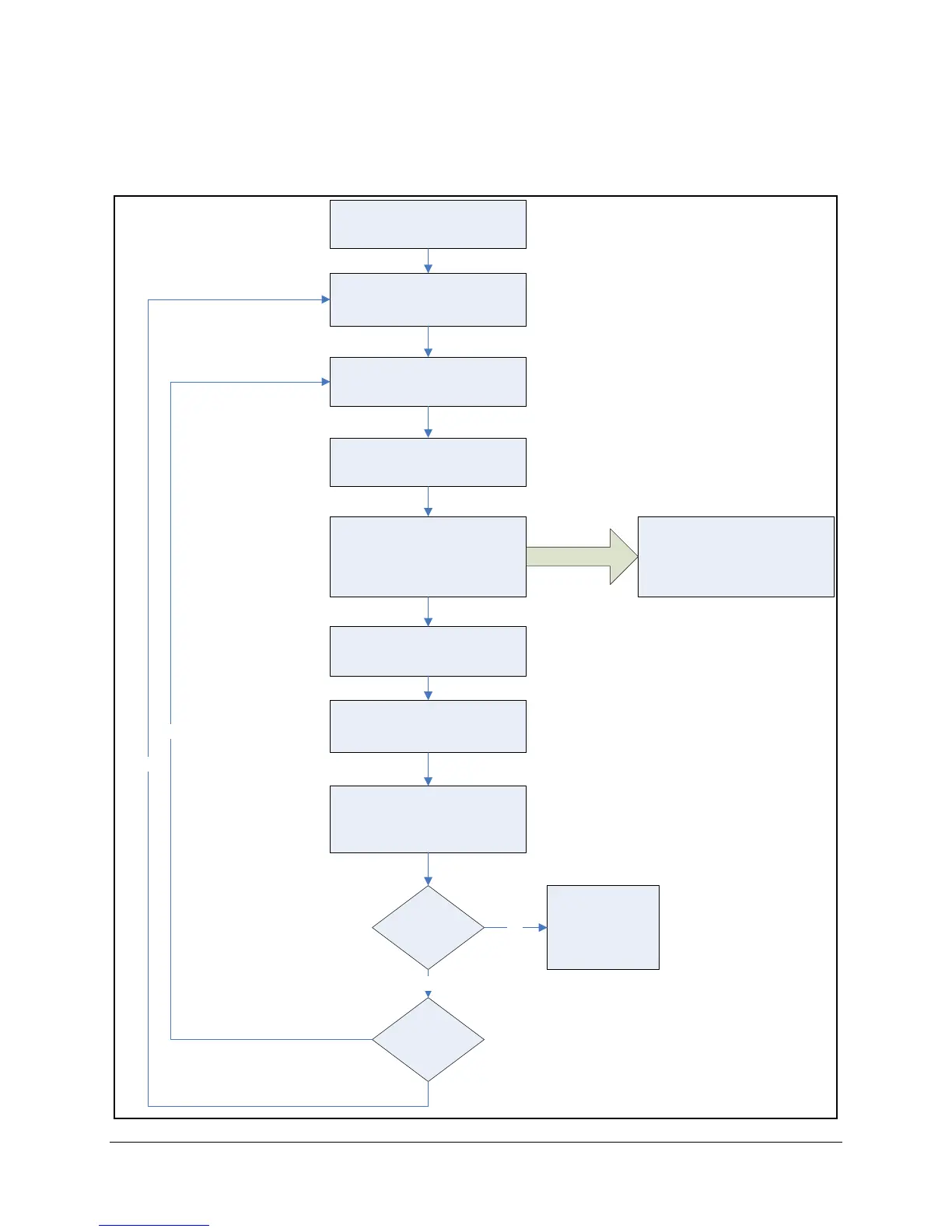
3.1 Overview of Program Layout - Scanning
Figure 1 shows the flow of a typical program accessing the System 7000 scanner and performing
scanning.
Perform Configuration
Arm
Scanning
(Acquiring Data)
Download Recorded Data
(optional)
Monitor Real-Time Data
(optional)
UDP Data
Idle State
Armed State
Scanning State
Idle State
(Uploading State when
Data is transferred)
Connect to System and
Validate
Idle State
Acquire More
Data?
Change
Configuration?
Yes
Disconnect from
Scanner
No
No
Decode and Scale
Recorded Data
(optional)
Idle State
Idle State
Start Scanning
Stop Scanning
Yes
Figure 1 – Program Layout (Scanning)

Table of Contents