VIPER-H4 user
manual V1.0
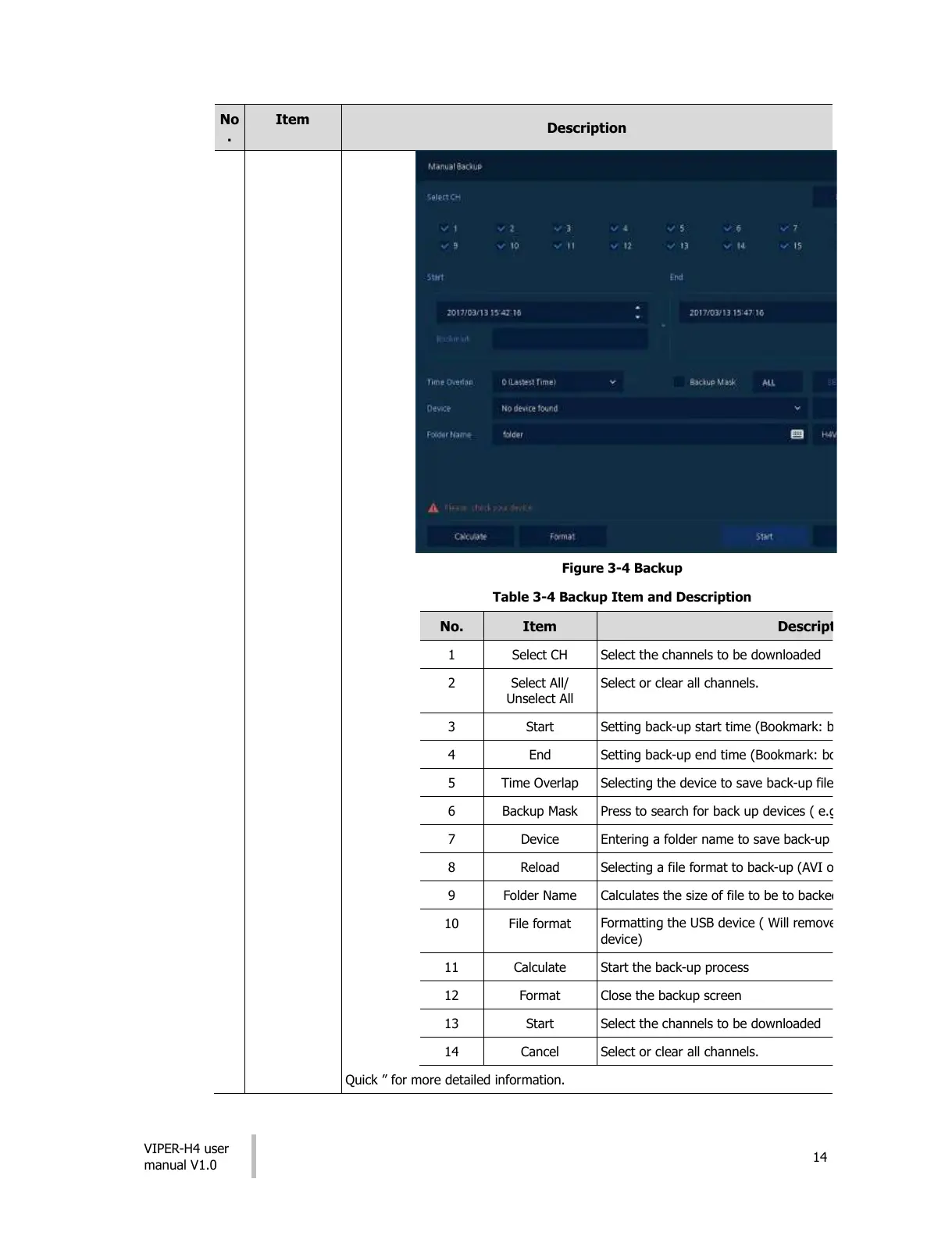
Figure 3-4 Backup
Table 3-4 Backup Item and Description
Select the channels to be downloaded
Select or clear all channels.
Setting back-up start time (Bookmark: bookmark list).
Setting back-up end time (Bookmark: bookmark list).
Selecting the device to save back-up files to.
Press to search for back up devices ( e.g. USB pens)
Entering a folder name to save back-up files
Selecting a file format to back-up (AVI or H4V)
Calculates the size of file to be to backed-up
Formatting the USB device ( Will remove any information from the USB
device)
Start the back-up process
Select the channels to be downloaded
Select or clear all channels.
Quick ” for more detailed information.
All manuals and user guides at all-guides.com











 To Next Page