EasyManua.ls Logo

Vista Viper - Warp

Vista Viper
93 pages
Print Icon
To Next Page IconTo Next Page
To Previous Page IconTo Previous Page
Loading...
VIPER-H4 user
manual V1.0
4.7.4 Warp
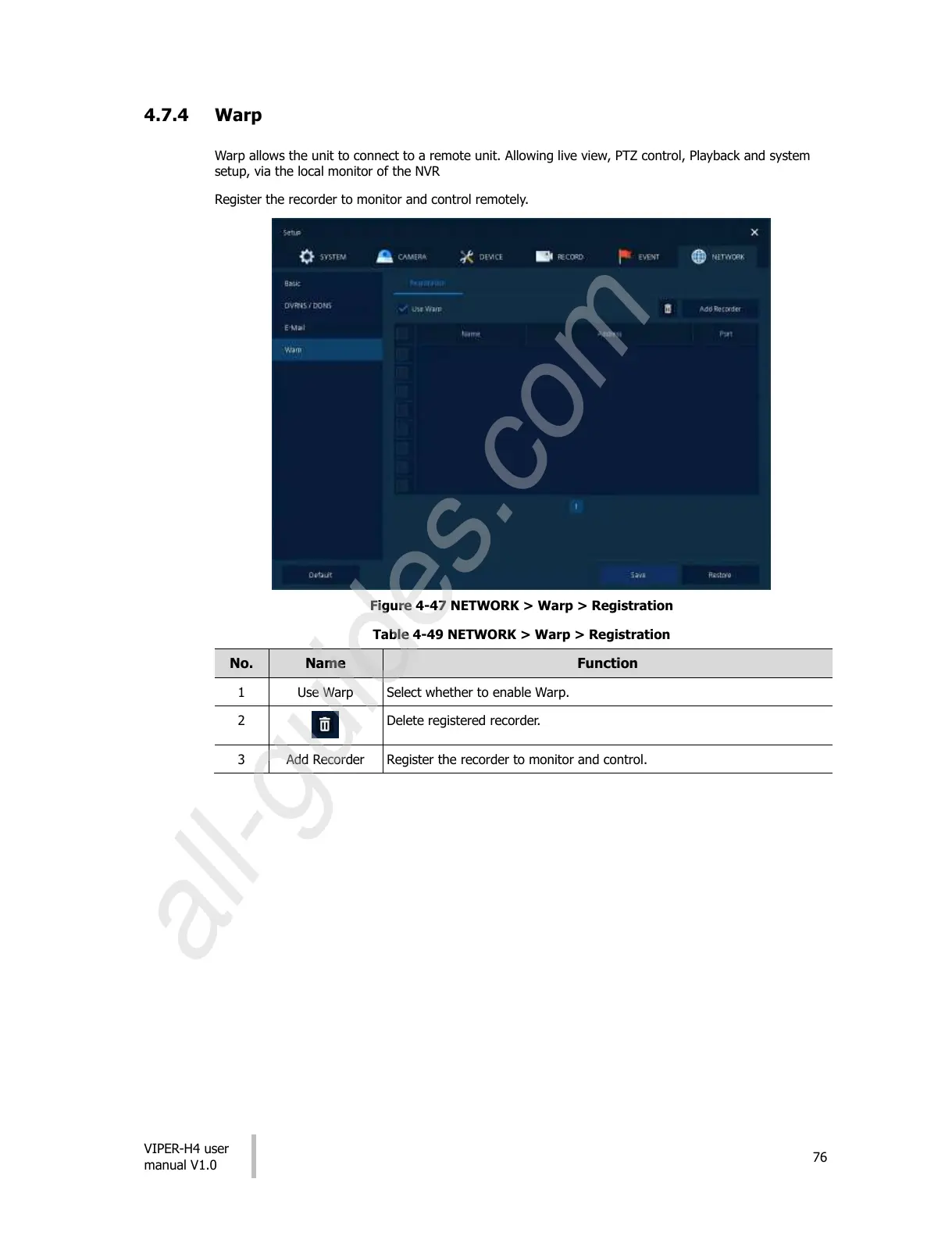
Warp allows the unit to connect to a remote unit. Allowing live view, PTZ control, Playback and system
setup, via the local monitor of the NVR
Register the recorder to monitor and control remotely.
Figure 4-47 NETWORK > Warp > Registration
Table 4-49 NETWORK > Warp > Registration

No.
Name
Function
1
Use Warp
Select whether to enable Warp.
2
Delete registered recorder.
3
Add Recorder
Register the recorder to monitor and control.
All manuals and user guides at all-guides.com
all-guides.com