VIPER-H4 user
manual V1.0
3.4.3 Status > System log
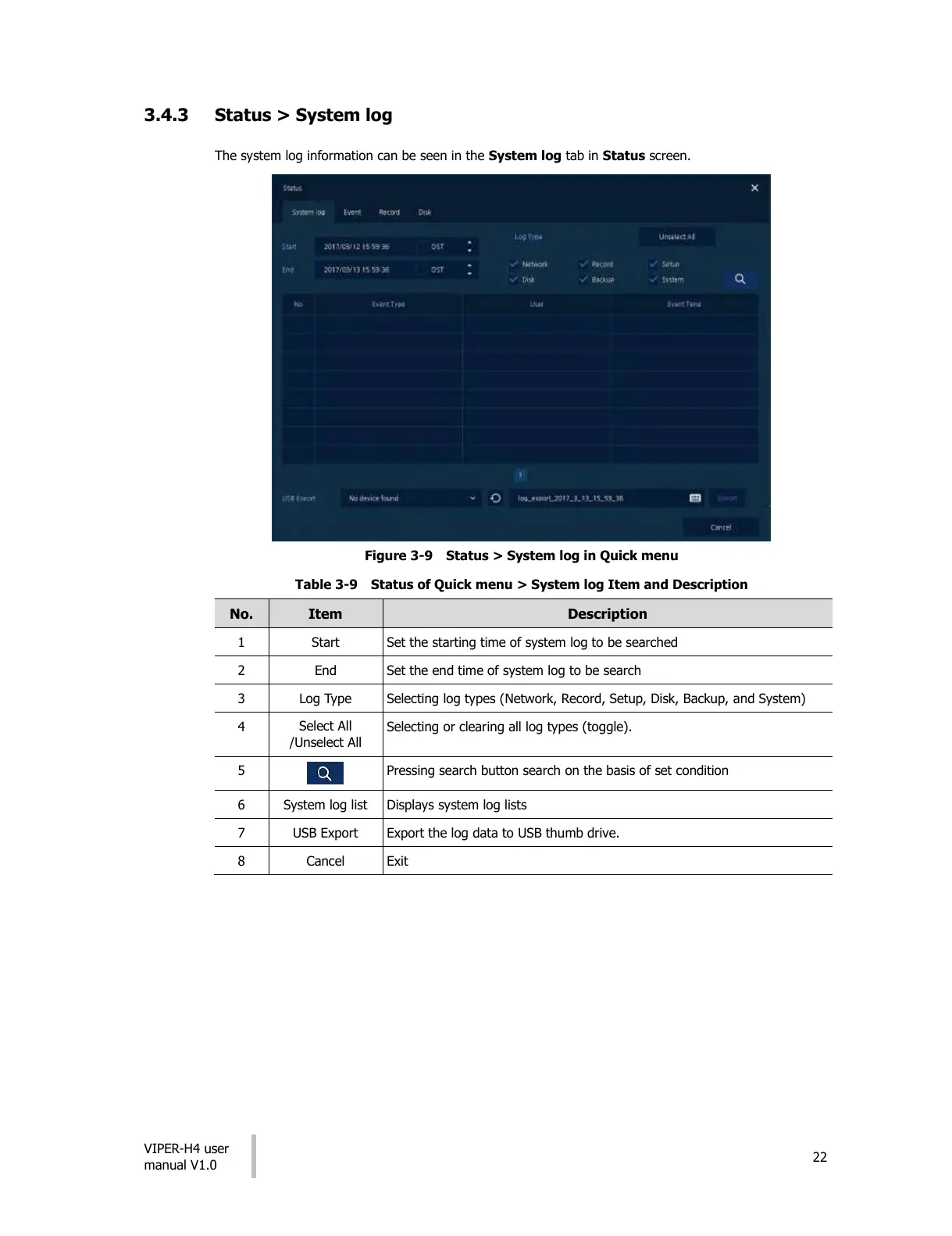
The system log information can be seen in the System log tab in Status screen.
Figure 3-9 Status > System log in Quick menu
Table 3-9 Status of Quick menu > System log Item and Description
Set the starting time of system log to be searched
Set the end time of system log to be search
Selecting log types (Network, Record, Setup, Disk, Backup, and System)
Selecting or clearing all log types (toggle).
Pressing search button search on the basis of set condition
Displays system log lists
Export the log data to USB thumb drive.
All manuals and user guides at all-guides.com




 To Next Page