VIPER-H4 user
manual V1.0
4.6.5 Notification
To set and schedule periodical alarms
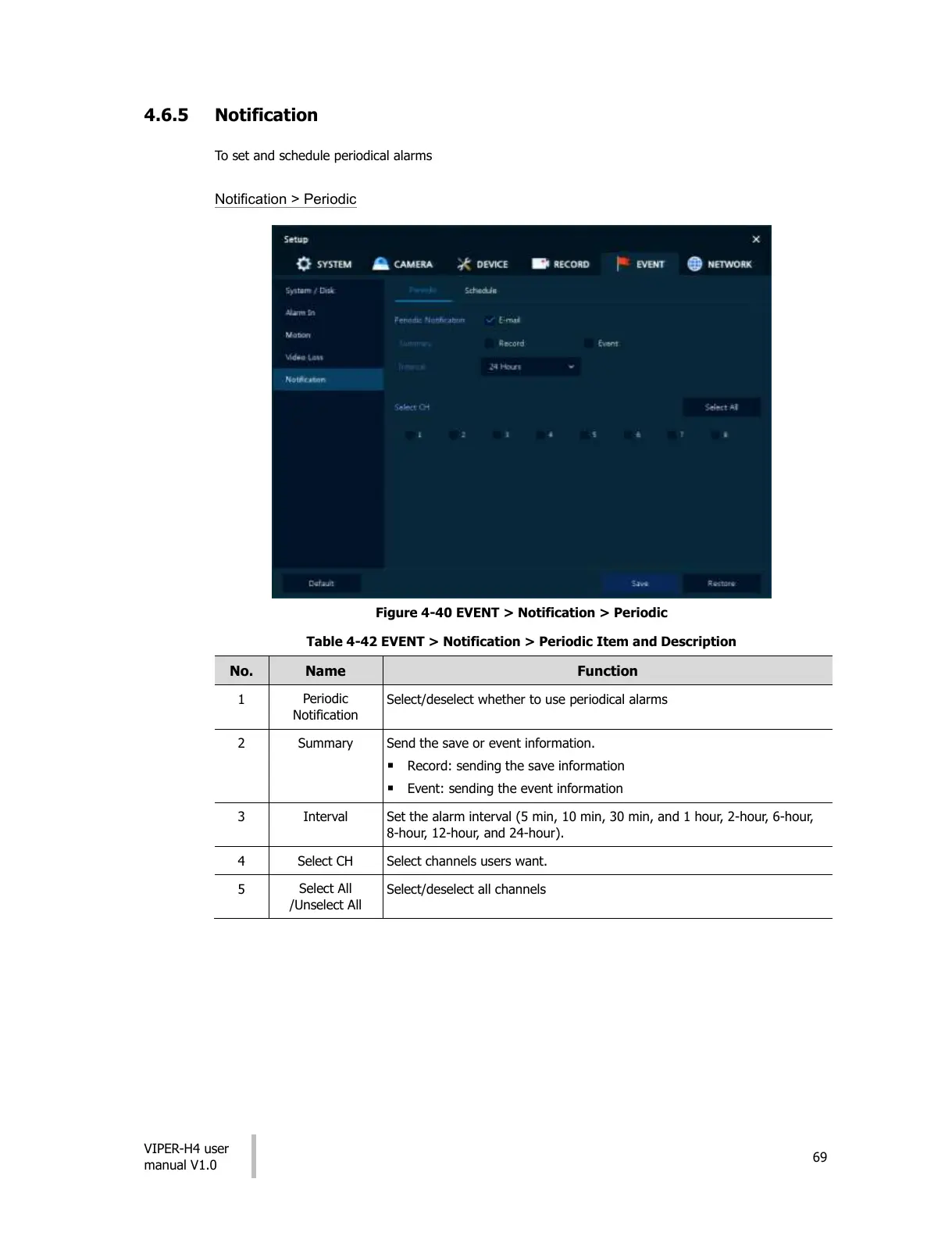
Notification > Periodic
Figure 4-40 EVENT > Notification > Periodic
Table 4-42 EVENT > Notification > Periodic Item and Description
Select/deselect whether to use periodical alarms
Send the save or event information.
Record: sending the save information
Event: sending the event information
Set the alarm interval (5 min, 10 min, 30 min, and 1 hour, 2-hour, 6-hour,
8-hour, 12-hour, and 24-hour).
Select channels users want.
Select/deselect all channels
All manuals and user guides at all-guides.com











 To Next Page