VIPER-H4 user
manual V1.0
4.6.2 Alarm In
Alarm In > Setup
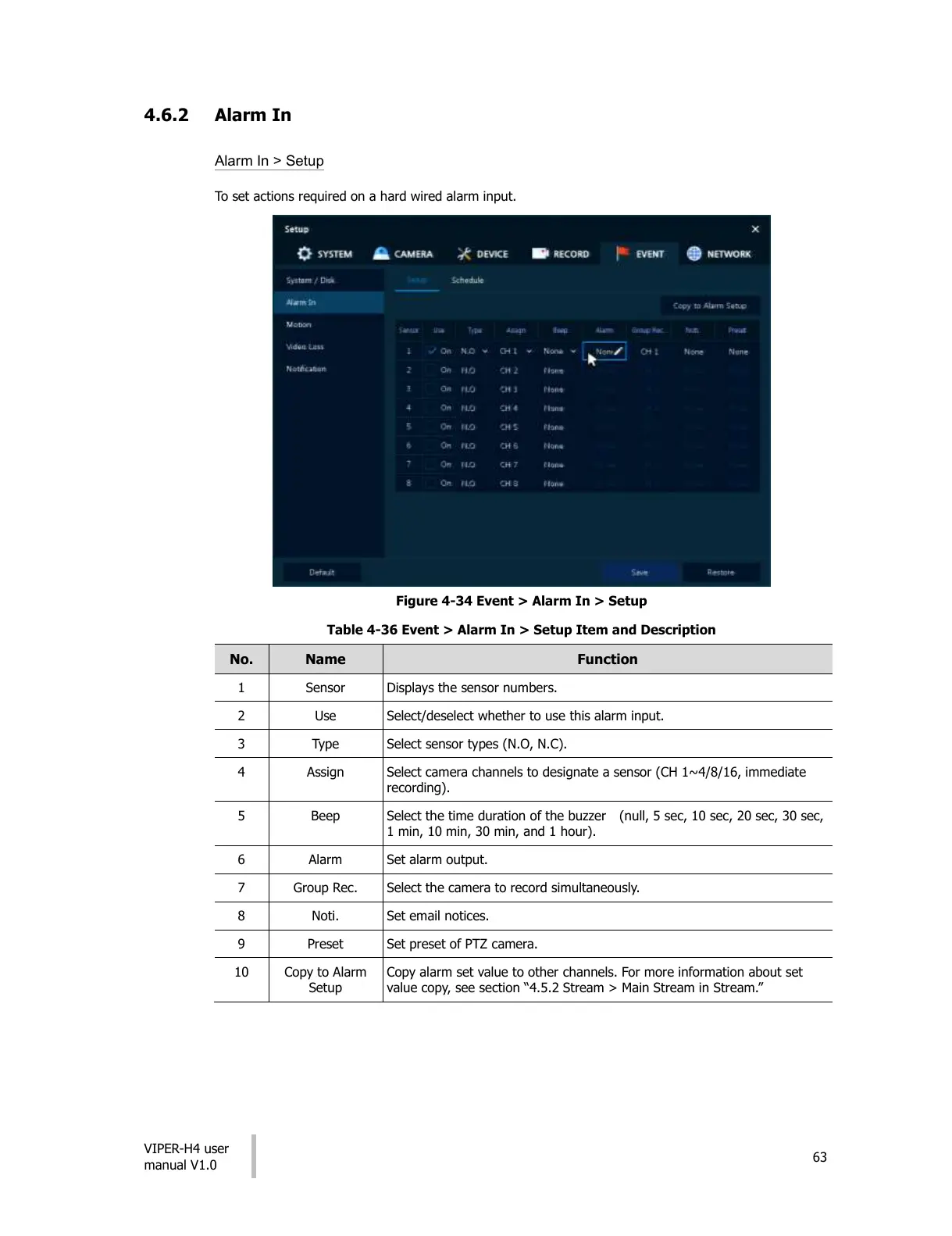
To set actions required on a hard wired alarm input.
Figure 4-34 Event > Alarm In > Setup
Table 4-36 Event > Alarm In > Setup Item and Description
Displays the sensor numbers.
Select/deselect whether to use this alarm input.
Select sensor types (N.O, N.C).
Select camera channels to designate a sensor (CH 1~4/8/16, immediate
recording).
Select the time duration of the buzzer (null, 5 sec, 10 sec, 20 sec, 30 sec,
1 min, 10 min, 30 min, and 1 hour).
Select the camera to record simultaneously.
Set preset of PTZ camera.
Copy alarm set value to other channels. For more information about set
value copy, see section “4.5.2 Stream > Main Stream in Stream.”
All manuals and user guides at all-guides.com











 To Next Page