VIPER-H4 user
manual V1.0
4.4.3 PTZ > PTZ
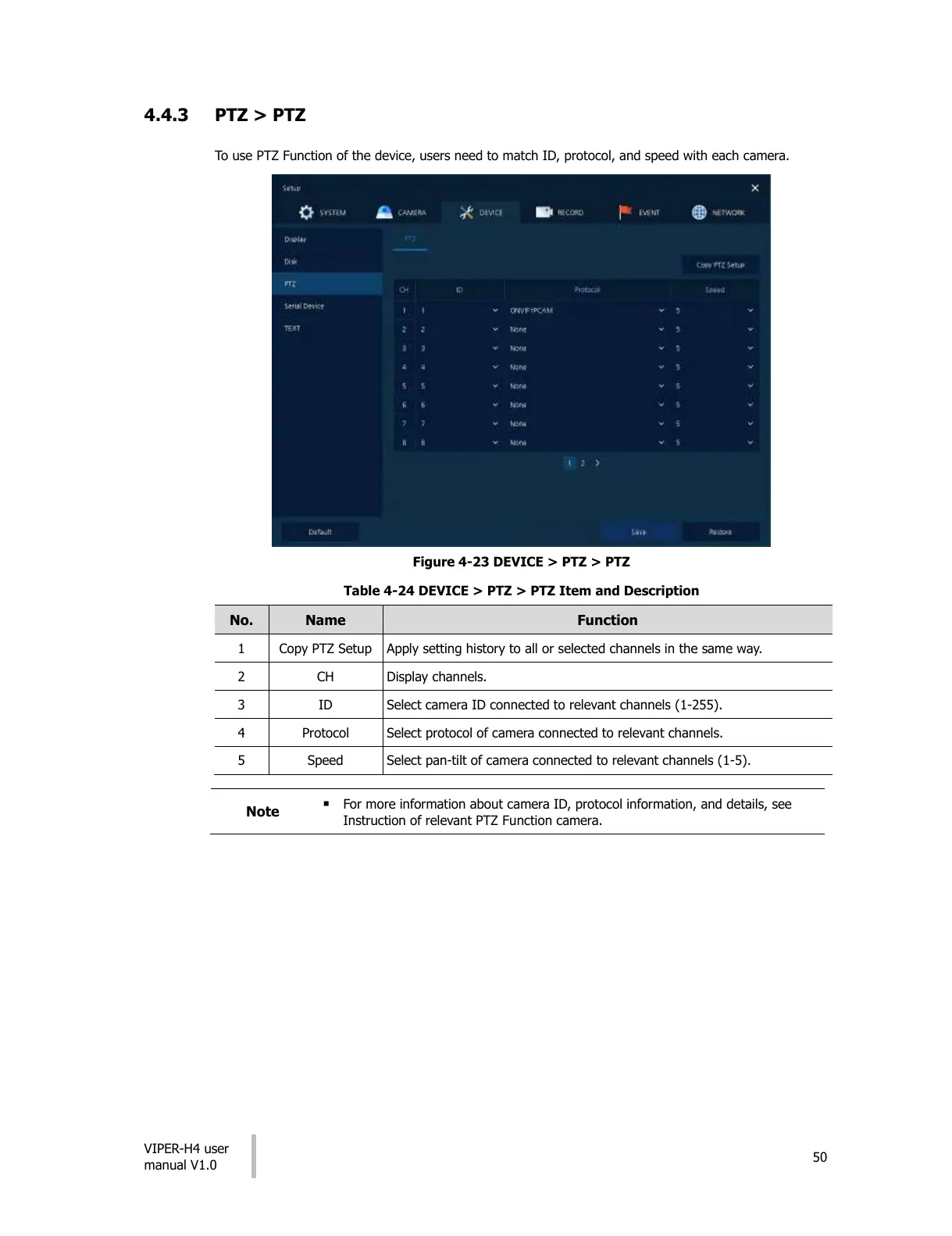
To use PTZ Function of the device, users need to match ID, protocol, and speed with each camera.
Figure 4-23 DEVICE > PTZ > PTZ
Table 4-24 DEVICE > PTZ > PTZ Item and Description
Apply setting history to all or selected channels in the same way.
Select camera ID connected to relevant channels (1-255).
Select protocol of camera connected to relevant channels.
Select pan-tilt of camera connected to relevant channels (1-5).
For more information about camera ID, protocol information, and details, see
Instruction of relevant PTZ Function camera.
All manuals and user guides at all-guides.com











 To Next Page